
AI Workspace Agents vs Chat Assistants: What's Different
Workspace agents and chat assistants both use AI — but they work in fundamentally different ways. Here's what separates them and which fits your work.
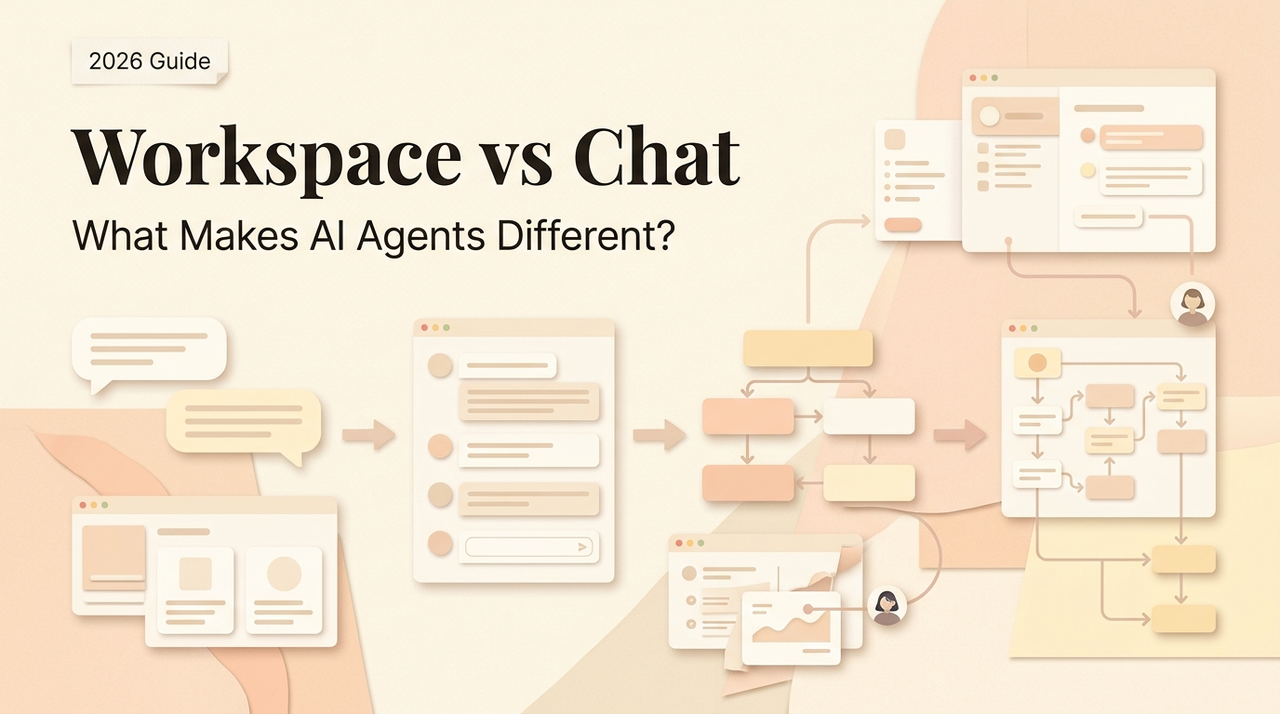
Hello, Nova is coming. A friend sent me a screenshot the other day — a product page for some new "AI workspace" tool — and asked: is this actually different from ChatGPT, or just a skin? I've been getting some version of that question for months now. And honestly, I get why. The category keeps inventing new names for itself, and the marketing copy between tools is starting to sound the same.
So let me try to answer it in plain terms, from someone who uses both sides of this daily. I'll be upfront: I'm not neutral. I have preferences. But I'll show you my work.
Two different bets on what AI should do
The workspace agents vs chat assistants split isn't about model quality. GPT-5, Claude Opus, Gemini — these same models can power either experience. What's different is the surface the AI lives on, and what that surface lets it do.
Chat assistants: answer questions, one turn at a time
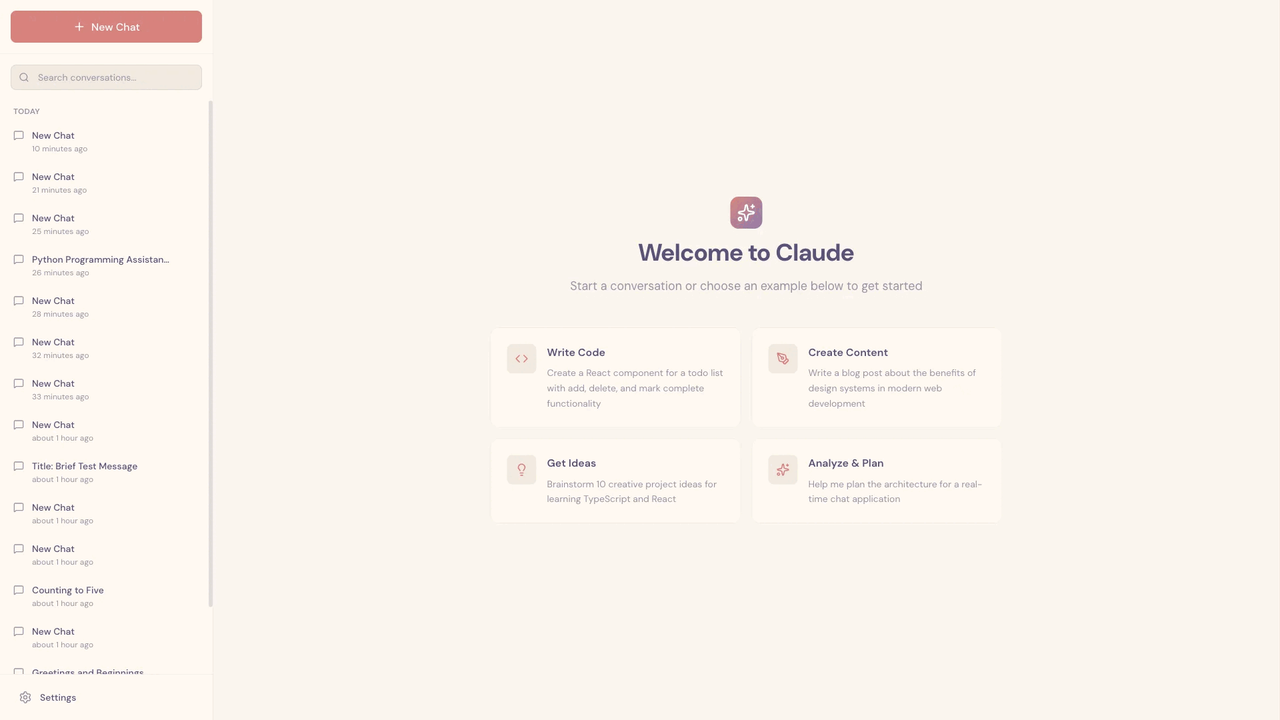
A chat assistant is a conversation. You open a box, you type, you read the answer, you type again. Each exchange is mostly self-contained. The assistant can search the web, run code, look at files you upload — but the center of gravity is always the chat window. When you close the tab, most of the "state" goes with it. Some memory persists now, but it's fragmentary. You're the one holding the thread together.
I still use ChatGPT almost every day. So does pretty much everyone I know. It's the most natural interface anyone's built for "ask a smart system something." For quick questions, it's genuinely hard to beat.
Workspace agents: operate inside the work itself
A workspace agent bets on something different: the AI shouldn't be a conversation you visit — it should be a worker that lives next to your files, tools, and tabs. Instead of copying-pasting a document into a chat, the agent reads the document. Instead of describing a browser tab, the agent sees it. Instead of one turn at a time, it runs a loop.
Anthropic's engineering team has a clean definition of agents that I keep coming back to: agents are systems where an LLM dynamically directs its own process and tool usage, maintaining control over how it accomplishes a task — as opposed to workflows, where the path is hardcoded. That distinction matters more than the marketing realizes.
Wait — this is the part worth sitting with. A chat assistant responds. A workspace agent operates. IBM frames the same split a little differently: assistants suggest actions for you to approve; agents reason, decide, and act using external tools. Same idea, different words.
Side-by-side: where each one actually lives
I find visual comparisons useful here, because the abstract talk gets slippery. Here's how I actually think about it after a year of using both:
Dimension | Chat assistants | Workspace agents |
|---|---|---|
Primary surface | A single chat window | A workspace spanning files, tabs, tools |
Input model | You type / paste / upload, one turn at a time | The agent reads what's already open |
Time horizon | Seconds to minutes per turn | Minutes to hours on a single goal |
State between sessions | Mostly gone. Some memory features. | Persistent project context |
Tool use | Growing, but gated by the chat | Native — the workspace is the tools |
Best for | Ask a question, get an answer | Finish a multi-step job |
When it breaks | Tasks that need real context or many steps | Simple questions where setup cost > savings |
Where the conversation happens
With a chat assistant, the conversation happens inside the app's chat window. You leave your work to go talk to it. Then you bring the answer back to your work. That context switch is small but real — every time, you're doing a little translation job.
With a workspace agent, the conversation happens next to (or inside) what you're working on. The agent isn't a place you visit. It's something you delegate to while staying in your own flow.
What AI can see and touch
This is the part that changes the most. A chat assistant sees what you hand it. A workspace agent sees what's already there — the open tabs, the connected drive, the file you've been editing — and it can take action across that surface. The scope is wider. So is the risk, which I'll come back to.
What carries over between sessions
Chat assistants are getting better at memory, but it's still mostly a list of preferences. Workspace agents are built around the idea that context about an ongoing project should accumulate, not reset. Anthropic has a thoughtful piece on long-running agent harnesses that captures the core problem: agents working across many sessions need a way to remember where they left off, or they just redo the same discovery work every time. That's the bet the workspace category is making.
Where chat assistants are still the better choice
Okay, the important section. I've seen too many posts present this comparison like agents won and chat is over. That's not my experience. Let me be specific about the cases where I still reach for chat first.
Short, self-contained tasks
"Rewrite this paragraph more concisely." "Explain regex lookaheads." "What's the difference between a sunk cost and an opportunity cost?"
For tasks like these, the setup cost of a workspace agent is pure overhead. I don't need it to see my files. I don't need it to carry state. I need a fast answer, and then I need to get on with my day. A chat assistant is designed for exactly this.
I'd argue most solo operators still spend the majority of their AI time in this mode. I know I do.
Quick research, drafts, and one-off questions
Nine-out-of-ten of my AI interactions are still something like: "draft a short reply to this email," "summarize this article," "give me three headline options." These are one-turn jobs. Handing them to an agent is like calling a contractor to hang a picture frame.
When you don't want AI near your files
This one I feel strongly about. Giving an agent broad access to your workspace is a real trust decision. OWASP's Top 10 for LLM Applications lists prompt injection as the #1 risk category — and that risk compounds badly when an agent can take actions across your systems. If you're working with client data, legal documents, anything confidential, a sandboxed chat session is often the more honest answer than a deeply-integrated agent. At least until the safety story matures.
Chat assistants are the "bring this one thing to the AI" model. Workspace agents are the "give the AI access to everything" model. Those are different trust trades. Pick knowingly.
Where workspace agents pull ahead
That said — when the conditions are right, the gap is huge. Not marginal. Huge.
Work that spans tabs, files, and tools
The moment a task involves more than two or three surfaces — a PDF, a Google Doc, a spreadsheet, a browser tab — chat assistants start to slow you down. You become the context-transfer layer. You copy from the PDF, paste into the chat, describe what's in the spreadsheet, screenshot the tab.
A workspace agent eliminates that shuffle. It reads all of those surfaces directly. On research-heavy tasks, the time difference is not 10%. It's more like 50%, because the agent skips the entire "feed me the inputs" ritual.
Repeated tasks where context matters
This is where workspace agents vs chat assistants stops being a tie and becomes a clear preference. If I'm drafting a weekly client update, the fifth time I do it I shouldn't have to re-explain the client, the product, the recent meetings, and my tone. With a chat assistant, I mostly do. With a workspace agent built around the project, the context is already loaded.
The engineering challenge, as the field keeps rediscovering, is that maintaining the right context becomes the defining problem as tasks get longer-horizon. Chat UIs weren't designed for that. Workspace UIs are.
Multi-role solo work
This is the case I care about most, because it's my case. When you run a one-person operation, you wear strategy, execution, content, research, and customer hats all in one day. Switching between ChatGPT tabs for each role works — sort of — but you end up managing the tabs more than the work.
The "everything in one surface" pitch from agentic platforms actually delivers here, in a way that surprised me. Not because any single task got smarter. But because the cost of starting each new kind of work dropped. The research I did yesterday is still there today. The draft I was editing didn't disappear into a chat log.
What neither does well yet
Time for the honest part. I've been more impressed with workspace agents lately, but I want to be careful not to oversell.
Reliability over long horizons. Both chat assistants and agents still fail on tasks that take many steps. The failure mode is different — chat assistants forget what you said three turns ago; agents wander off and do something you didn't ask for — but neither is "set and forget" for complex work. I still check outputs carefully. I still re-run things that felt off.
Security with write access. This deserves real attention. The moment an agent can act on your data rather than just read it, the blast radius of a mistake gets much bigger. The OWASP guidance on agentic systems is worth reading if you're evaluating this seriously — giving broad, unchecked autonomy is called "excessive agency" for a reason. Human-in-the-loop approvals on destructive actions aren't optional; they're the minimum bar.
The hype is louder than the product in most cases. Every tool with a connector is calling itself an "agent" now. Some of them are. Many are just chat assistants with a filesystem plugin. When evaluating, I'd test the specific task you care about before buying the narrative.
I've tried enough "game-changing" tools to know to wait and see on a lot of these.
How to choose: three practical questions
If you're weighing whether to add a workspace agent to your stack, I'd skip the feature matrix and ask yourself three things.
Does my work actually span multiple surfaces? If most of your AI use is "ask a question, get an answer," a chat assistant is probably fine. You'll spend a week configuring an agent to save thirty seconds per task. If your work genuinely lives across files, tabs, and tools — different answer.
Is there repeatable context I keep re-explaining? This is the honest test. If every week I find myself pasting the same background into ChatGPT, I'm paying a tax that a workspace agent would remove. If every task is genuinely new, I'm not.
How comfortable am I with broad access? A chat assistant is a locked conversation. A workspace agent is a worker with keys. If your work includes anything sensitive — client data, regulated information, personal finance — the answer isn't "never use an agent," it's "be deliberate about what it can see and do."
Fit matters more than features. Be honest about whether you actually have the problem this category is solving.
FAQ
Is a workspace agent just a chat assistant with plugins?
Not really. Plugins extend a chat assistant's reach, but the center of the experience is still the chat window. A workspace agent inverts it: the workspace is the center, the chat is one surface among many. Different UX, different assumptions about who's holding context.
Can I use both?
Yes, and most people I know do. I use a chat assistant for quick one-offs and a workspace-style setup for ongoing projects. They're not competitors so much as different tools for different job sizes.
Do workspace agents replace human judgment?
No, and be skeptical of anyone who says otherwise. Even the best agent benchmarks show plenty of errors on multi-step work. Treat agent output the way you'd treat a junior assistant's first draft: useful, often good, always worth checking.
Which is cheaper?
Chat assistants, usually — and by a lot at the individual level. Workspace agents cost more to run (more tool calls, more context, more compute) and more to evaluate (you need to trust them with more). The question is whether the time saved justifies the cost for your workflow, not in general.
Where is this headed?
Honestly? I think the two categories will keep borrowing from each other until the line gets pretty blurry. Chat assistants are adding more persistent memory and more tool access. Workspace agents are adding faster, simpler chat modes for one-off questions. The labels matter less than the fit.
Anyway — that's my read as of today. The workspace agents vs chat assistants question isn't really about which category wins. It's about which fits the work in front of you. For a quick question, chat is still the cleanest thing ever built. For a sprawling multi-tool job, a workspace agent earns its keep. The trick is being honest about which one you're actually doing.
I'll update this if I change my mind. I've changed it before.
Previous Posts:
→ Understand how AI workspace agents actually operate in real workflows
→ See the real difference between AI agents and chat assistants in practice
→ Learn how solo operators are using AI agents to scale their work in 2026
→ Explore practical AI agent use cases across real workflows
→ Discover how one-person businesses run like full teams using AI systems
Get automation tips for your workflow
Weekly insights for non-technical professionals. No spam ever.