
What Is an Obsidian Vault — Local Markdown Knowledge Base Explained
An Obsidian vault is a folder of Markdown notes on your device. Learn how vaults work, what they contain, how they differ from Notion, and why local files matter for AI.
TL;DR
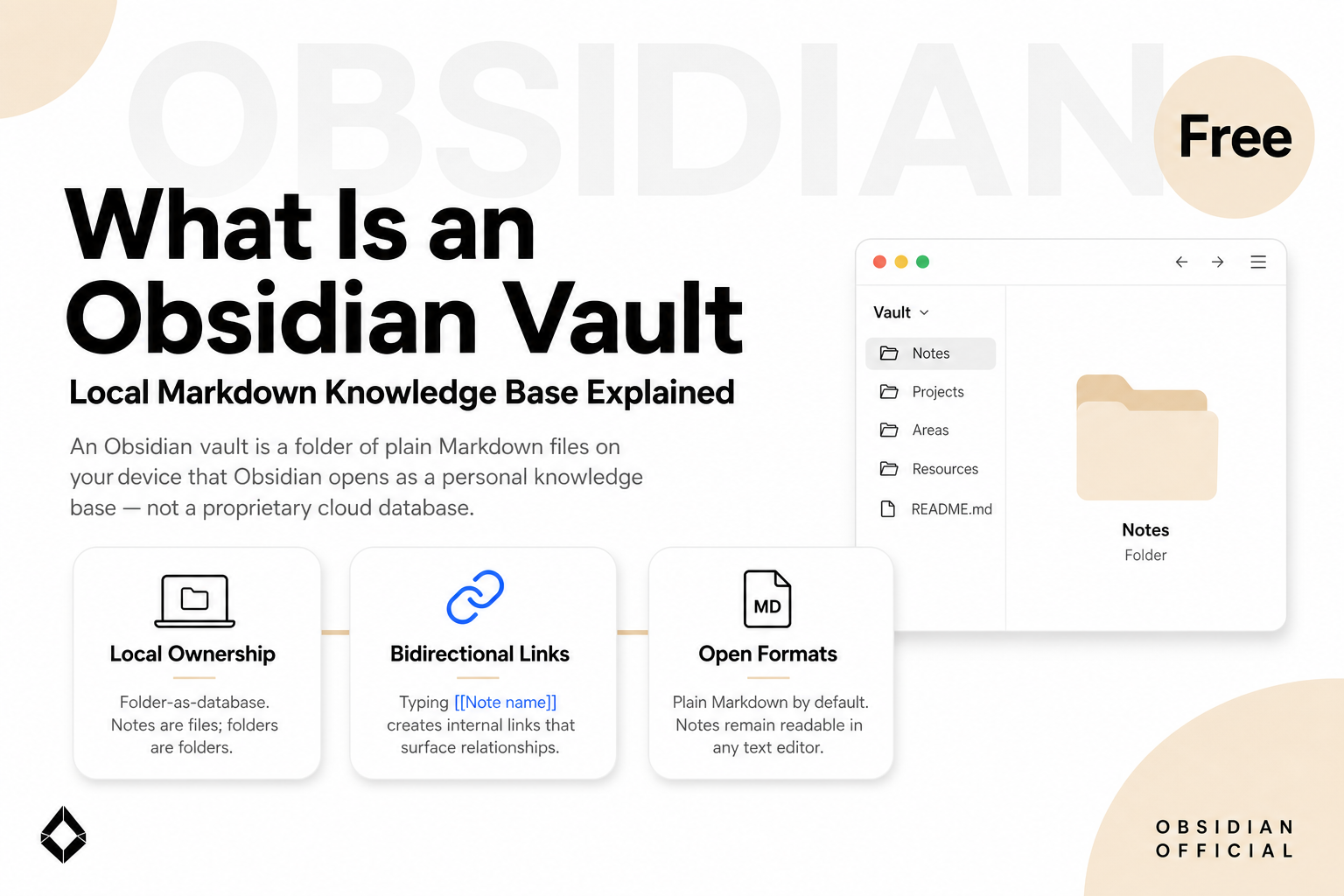
An Obsidian vault is a folder of plain Markdown files on your device that Obsidian opens as a personal knowledge base — not a proprietary cloud database.
Each vault can hold notes, attachments, and an .obsidian config folder for settings, plugins, and themes. You can run multiple vaults for separate life contexts.
Vaults emphasize local ownership, bidirectional links, and open formats, so notes remain readable in any text editor and usable by other tools.
A vault is not Notion, Apple Notes, or a sync service by itself. Optional Obsidian Sync and Publish are add-ons; the core app stays free and local-first.
For a practical guide to pairing that local folder with desktop agents, see <a href="/blog/how-to-use-obsidian-with-ai-agent">how to use Obsidian with an AI agent</a>.
1. Why Vaults Matter Now
1.1 Knowledge Work Needs a Durable Home
Most productivity apps treat notes as records inside a vendor database. That model is convenient until you need to leave the app, version the files, encrypt a disk, or let another program — including an AI agent — read the same corpus without export gymnastics. When notes live only behind a login and a proprietary schema, every new tool becomes another migration project.
Obsidian took the opposite bet. Official help materials describe the product as a local-first knowledge base that stores notes as plain Markdown on your device, with optional sync and publishing rather than cloud lock-in as the default. The unit of that bet is the vault: a folder you control, opened by an editor that understands links, graphs, and plugins.
That design aged well for a reason AI made obvious. Language models and desktop agents work best on durable text files they can open, search, and rewrite with permission. A vault is already that shape. Understanding what a vault is — and what it is not — is the first step before you bolt chat plugins, clippers, or cross-app agents onto your notes.
1.2 The Word "Vault" Is Literal
In Obsidian, "vault" is not marketing metaphor for "encrypted cloud." It is the name for a directory on disk. Create or open a vault and you are pointing Obsidian at a folder. Create a note and you create a .md file. Move the folder and you move the knowledge base. Delete Obsidian and the files remain.
That literalism is the product's core promise and the source of most beginner confusion. People searching "what is an Obsidian vault" often expect a subscription tier or a special file type. They get a folder — and that is the point.
2. Obsidian Vault Defined
2.1 The Core Definition
An Obsidian vault is a local folder of Markdown notes (and related attachments) that the Obsidian app treats as one knowledge base. Inside the app you browse, link, search, and graph those files; on disk they remain ordinary files you can open in VS Code, commit with Git, back up with any sync tool you choose, or hand to another program that can read a directory.
According to <a href="https://obsidian.md/help/obsidian" rel="nofollow noopener">Obsidian's own about page</a>, the design centers on plain text you own, links as first-class citizens, and a toolkit you extend with plugins rather than a single prescribed workflow. The vault is the container that makes those principles concrete: one folder, one graph of notes, one set of settings living beside the content.
2.2 Five Defining Properties
Folder-as-database. The vault is not a hidden binary store. Notes are files; folders are folders. Search, backups, and migrations work like any other document tree because they are a document tree.
Plain Markdown by default. Formatting uses open Markdown conventions. You can edit in Obsidian's Live Preview or source mode, or step outside Obsidian entirely without losing the corpus.
Bidirectional linking. Typing [[Note name]] creates internal links. Backlinks and graph views surface relationships that folders alone cannot express — the "second brain" pattern Obsidian popularized for networked notes.
Per-vault configuration. Settings, community plugins, themes, and hotkeys live in an .obsidian directory inside that vault. Switching vaults switches context cleanly; a work vault need not inherit personal journal plugins.
Optional cloud, not mandatory cloud. The core app does not require an account. <a href="https://obsidian.md/pricing" rel="nofollow noopener">Obsidian Sync and Publish</a> are paid add-ons for encrypted multi-device sync and public sites. Many users sync with iCloud, Syncthing, or Git instead.
2.3 What an Obsidian Vault Is Not
Boundary clarity prevents expensive tool mismatches.
A vault is not Notion. Notion stores pages in a hosted workspace with databases, permissions, and a proprietary runtime. A vault stores files on your machine. Notion wins at multiplayer workspaces out of the box; a vault wins at ownership and portability.
A vault is not Apple Notes or Google Keep. Those apps optimize quick capture inside a vendor ecosystem. Obsidian vaults optimize durable, linkable Markdown you can keep for decades.
A vault is not Obsidian Sync. Sync is an optional encrypted service that can synchronize a vault across devices. The vault exists whether or not you buy Sync.
A vault is not an AI product. Obsidian's official AI surface in recent years is primarily the Web Clipper's Interpreter, which lets you connect your model providers when clipping pages — not a built-in chat subscription that rewrites your entire library. Deeper "chat with my vault" experiences usually come from community plugins or external desktop agents that read the same folder.
3. What Lives Inside a Vault
Opening a vault in a file manager is the fastest way to demystify it. You typically see Markdown notes, asset folders for images and PDFs, and the hidden (or visible) .obsidian configuration directory. New notes create new files; renaming a note renames a file; moving notes between folders is filesystem work that Obsidian reflects in its sidebar.
Attachments stay local unless you choose otherwise. That matters for privacy-minded operators: research PDFs, client screenshots, and voice memo exports can live next to the notes that reference them without uploading to a third-party note host. It also means disk space and backup discipline are your responsibility — a fair trade for ownership.
Power features still sit on top of files. Properties (YAML frontmatter) add structured fields to notes — status, client, due date — that other views can filter. Canvas stores spatial layouts in open .canvas JSON so brainstorms remain portable. Bases, introduced as a core plugin in 2025, builds database-like table, card, list, and map views over note properties while keeping the underlying data in Markdown. None of these features convert the vault into a closed database; they add views and metadata on open formats. That matters when you later hand the same folder to a script, a Git repo, or an AI agent: the agent sees files and frontmatter, not a locked vendor schema.
Daily practice varies widely. Some people run a single inbox note and process weekly. Others maintain dense Zettelkasten webs with hundreds of atomic notes. Both patterns still resolve to the same vault contract: if you can find the file in the folder, Obsidian can open it, and so can anything else you authorize. The app’s search, backlinks pane, and bookmarks are conveniences on top of that contract — not a second copy of your data.
Multiple vaults are normal. Consultants often keep a client vault separate from a personal Zettelkasten. Researchers isolate lab notes from teaching materials. The cost is context switching; the benefit is blast-radius control when plugins, templates, or sharing policies differ. A useful rule of thumb: split vaults when trust boundaries or plugin stacks diverge, not merely when topic tags feel crowded. Tags and folders can separate topics inside one vault; separate vaults separate worlds.
4. How Vaults Compare to Related Concepts
Cloud knowledge bases (Notion, Coda, Craft). These tools excel when teams co-edit online and need permissions, comments, and hosted databases. Vaults excel when a single operator (or a small group syncing files) wants offline speed, Git-friendly history, and zero format lock-in. Many people use both: Notion for team pages, a vault for private thinking.
Other local Markdown apps (Logseq, Foam, Typora + folders). Several apps share the "folder of Markdown" idea. Obsidian's differentiators are the mature plugin ecosystem, graph and backlink UX, and commercial polish across desktop and mobile — not the invention of local text files.
File sync folders (Dropbox, iCloud Drive, Google Drive Desktop). Sync clients move bytes; they do not provide link autocomplete, graph view, or a note-centric editor. A vault can live inside a synced folder, but sync alone is not a knowledge base.
Desktop AI agents that read folders. As of 2026, a growing class of tools treats a local directory as working memory for multi-step tasks — meeting briefs, project drafts, file cleanup. A vault is an especially good directory for that pattern because notes are already text, linked, and human-curated. That pairing is a workflow choice, not a feature Obsidian must ship itself; we walk through the practical setup in our companion guide on <a href="/blog/how-to-use-obsidian-with-ai-agent">using Obsidian with an AI agent</a>.
5. Who Should Use a Vault — and Who Should Not
Vaults fit operators who care about long-term ownership of notes: writers, researchers, consultants, and solo founders who expect their knowledge base to outlive any single app subscription. They also fit people who already think in folders and Markdown, or who want Git-backed history for important writing. If you have ever lost years of notes to a shutdown SaaS product, the vault model’s appeal is emotional as well as technical — the failure mode is “I still have the folder,” not “I hope the export still works.”
Vaults are a weaker default when your primary need is realtime multiplayer editing with guests who will never install Obsidian, or when you refuse any local filesystem management and want everything behind a single SaaS login. Mobile capture works on iOS and Android, but heavy vault maintenance still feels most natural on desktop for large corpora. Shared publishing is possible through Obsidian Publish or by exporting selected notes, yet that is a deliberate publish step — not the default collaboration surface Notion users expect.
Onboarding friction is real. Linking, plugins, and templates can overwhelm in the first week. The antidote is small scope: one vault, daily notes, a handful of project pages, and links only when two ideas actually need each other. Feature tourism — installing twenty community plugins before you have a writing habit — is the most common way people abandon an otherwise good vault.
Pricing shape is unusually clear for the category. The <a href="https://obsidian.md/" rel="nofollow noopener">core Obsidian app</a> is free for personal and commercial use as of 2026; you pay only if you want official Sync, Publish, Catalyst early access, or an optional commercial support license. That model means "try a vault" has almost no financial barrier — only the learning curve of linking notes instead of dumping them into one infinite scroll.
6. What's Next for Local Knowledge Bases
Local Markdown is no longer a niche protest against cloud docs. It is becoming the interchange format between human note-taking and machine execution. Obsidian's roadmap in 2025–2026 expanded Bases, Web Clipper tooling, CLI automation, and sync headless clients — infrastructure that makes vaults easier to query and operate without abandoning plain files.
The market split looks durable: hosted collaborative workspaces on one side, local-first personal knowledge graphs on the other, with agents and clippers bridging both. Vaults will not replace Slack or shared Notion wikis. They remain the personal layer where thinking compounds — and, increasingly, the folder agents are allowed to read when you want work done from notes you already trust.
Conclusion
An Obsidian vault is simply a folder of Markdown notes that Obsidian opens as a linked knowledge base. Its power is mundane on purpose: open formats, local control, links and graphs on top of files you already understand. It is not a cloud workspace, not a sync plan, and not an AI subscription — it is the durable home for notes that other tools, including AI agents, can meet on your disk.
If you need the definition, start a vault and open the folder beside the app. If you need the next step — using those notes across calendar, email, and project files without living only inside Obsidian — continue with the how-to guide linked above.
FAQ
Is an Obsidian vault a special file type?
No. A vault is a folder. Notes are typically .md files. Obsidian adds configuration under .obsidian and may create formats like .canvas or .base for specific features, but the knowledge base remains ordinary files on disk.
Do I need Obsidian Sync to use a vault?
No. Sync is optional. Many people keep a single-device vault, or sync with iCloud, Syncthing, Git, or another tool they already trust.
Can I have more than one vault?
Yes. Separate vaults are common for work vs personal notes, or for client isolation. Each vault has its own files and usually its own plugin settings.
Is my vault private?
Locally, yes — files stay on your device unless you sync or publish them. If you use third-party sync, cloud AI plugins, or Web Clipper Interpreter with a remote model provider, those services see what you send them under their own policies. Obsidian's core local app does not require uploading your notes to Obsidian's servers.
How is a vault different from a Google Drive folder of docs?
A Drive folder of documents is storage plus an online editor ecosystem. An Obsidian vault is local Markdown plus a note app built for linking, backlinks, graph view, and plugins. You can place a vault inside a synced Drive or Dropbox folder, but Drive alone does not give you Obsidian's knowledge-base UX.
Get automation tips for your workflow
Weekly insights for non-technical professionals. No spam ever.