
Role-Based AI Workflows for Solo Founders: The gstack Method
gstack went viral for developers — but the real insight isn't about coding. It's about why giving AI a clear role changes everything for one-person businesses.
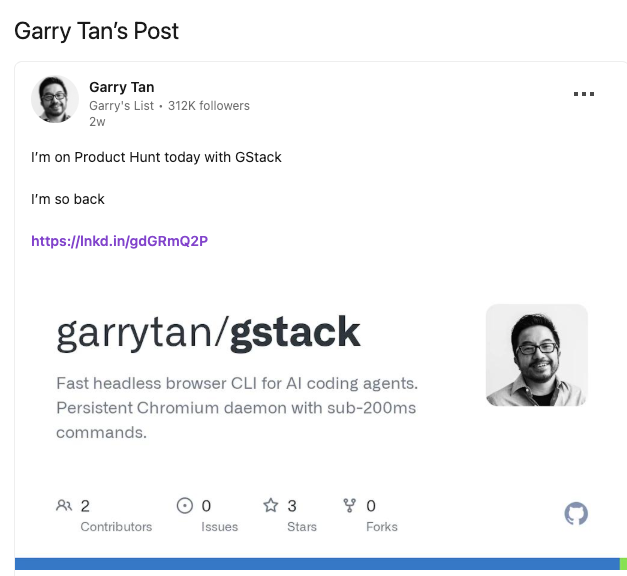
Hey, I'm Nova. I stumbled onto gstack the same way most non-developers did — scrolling X when I should have been finishing a deliverable. Someone retweeted Garry Tan's announcement on GitHub. The repository hit 10,000 stars in 48 hours, making it one of the fastest-growing developer tools on GitHub in 2026. I'm not a developer. I almost kept scrolling.
Then I read what it actually was — and stopped.
This article isn't about gstack as a coding tool. It's about the underlying workflow logic that applies to anyone running multiple cognitive roles in a day. I'll walk through what role-based AI prompting means, what research says about why it works, a concrete before-and-after from my own workflow, and where the limits are.
What gstack Actually Is — And Why the Idea Is Bigger Than Code
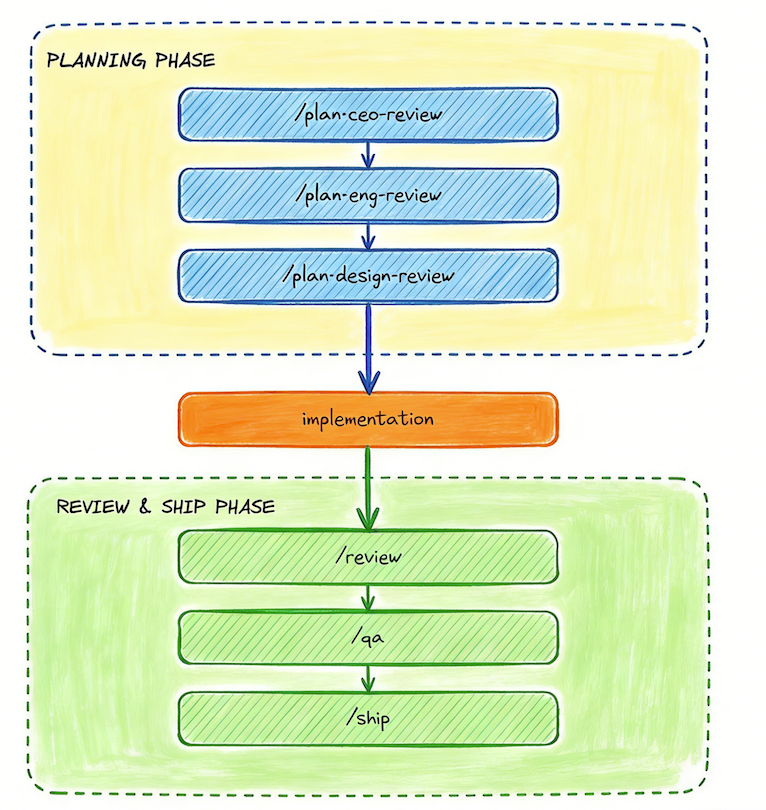
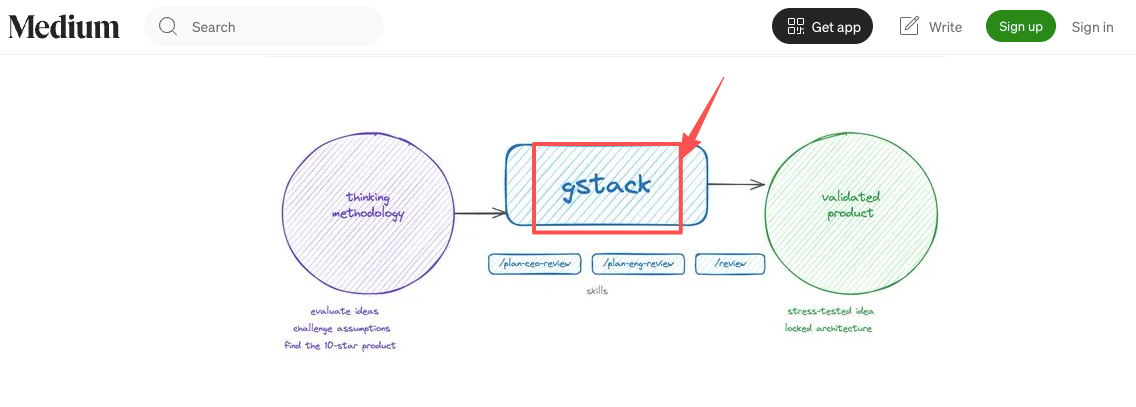
gstack is an open-source skill pack for Claude Code, built by Garry Tan — President & CEO of Y Combinator. It transforms a single AI assistant into a structured team of specialists: a CEO role for product review, an Engineering Manager role that locks architecture, a QA Engineer that opens a real browser and clicks through things, a Release Manager for docs. Each role runs as a slash command.
The throughput numbers Tan shared publicly are striking: using this setup, he averaged approximately 10,000 lines of code and 100 pull requests per week over a 50-day period — roughly 600,000 lines of production code, 35% of which were tests. (As TechCrunch noted in their coverage, the community reaction was mixed — some found it genuinely useful, others called it "just prompts." Both reactions are fair.)
The philosophy behind it: most people treat AI as a universal tool, giving it vague multi-task instructions within a single context. The result is unfocused output that lacks the depth a real team would deliver. gstack's answer is what they call "cognitive gearing" — forcing the model into distinct roles so it can't context-switch mid-task.
Wait... that idea is not just for developers.
The Problem That Role-Based Prompting Is Actually Solving
Here's the thing I've been sitting with since I read that post.
I run a one-person content operation. No dev team, no managers — just me, doing research, writing, making product decisions, and handling whatever comes up. Often in the same two-hour block.
Most AI users do the same thing. Open a chat, type whatever they need, in whatever mode they're currently in: Write this email. Now help me think about my Q2 strategy. Now summarize this competitor's site. Now help me figure out pricing. The AI obligingly switches with you. But the output is kind of shallow. It's doing what you asked — it's just not doing it from the right mental position.
Research backs this up. A 2025 study from MIT Sloan's research on AI and knowledge workers found that consultants using AI performed best when they maintained "cognitive effort and expert judgment" at each stage — what researchers called operating as "centaurs," deliberately dividing tasks between AI and themselves. Workers who let AI handle everything without role boundaries tended to produce lower-quality reasoning, even when the prose looked polished.
The problem isn't the AI. It's that nobody told it which role to be in.
Before and After: The Same Research Task, Two Different Approaches
Let me get concrete, because this is where it either clicks or it doesn't.
The scenario: I'm evaluating whether a new content direction is worth pursuing. I need to research competitor positioning, then find the angle, then write a draft intro.
The old way: Open a tab, pull up competitor content, paste into Claude, ask vague questions, then pivot mid-session to "now help me write the intro." Output is technically fine — coherent sentences, reasonable structure. But I'd look at it and feel something was off. No real teeth in the research. The intro sounded like every other intro in the niche.
What was happening: I was asking the model to hold "analyst, strategist, and writer" simultaneously — averaged output. Competent at all three, excellent at none.
The role-based version looks like this:
Phase 1 — Research Analyst: Before I type anything, I set the frame explicitly: "Right now you're in research analyst mode. Your only job is to find patterns in what competitors are doing and flag assumptions I might be making. Do not generate content or make recommendations yet." I paste competitor examples. It surfaces three things I hadn't noticed. One of them is genuinely useful.
Phase 2 — Content Strategist: New session, new role: "Here's what the research surfaced. You're now in content strategist mode. What's the angle worth pursuing, and why?" The output is sharper — because the model isn't simultaneously trying to write the thing.
Phase 3 — Writer: Only now do I ask for a draft, and I give it the angle from Phase 2 explicitly.
Same AI. Same information. The research phase took about 8 minutes longer. The total revision time dropped significantly — I rewrote maybe 20% of the draft instead of the usual 60–70%.
I can't give you a controlled experiment. But I've run this pattern consistently for the last three weeks and the revision ratio has held. That's enough for me to keep doing it.
Why This Works: The Cognitive Science Behind Role Assignment
There's a real reason role boundaries improve AI output — it's not just placebo.
Research from the St. Louis Fed summarizing recent AI productivity studies found that workers who used AI daily saved an average of 5.4% of their work hours, or roughly 2.2 hours per week in a 40-hour week. But the gains weren't evenly distributed. Workers who integrated AI into structured, task-specific workflows saw the highest time savings — not the ones who used it as a general-purpose chat tool.
The mechanism: when you give a language model a constrained role with clear scope, you reduce the ambiguity of what counts as a "good" output. The model isn't trying to satisfy multiple simultaneous goals. It's optimizing for one thing — the thing you actually need right now.
This is different from a system prompt. A system prompt sets general behavior and tone. A role-based frame goes further — it defines what the model should prioritize, what it should ignore, and what kind of output counts as success for this specific step. It's the difference between "be helpful" and "you are a research analyst whose job is to surface contradictions in the data, not to solve them."
One caveat worth naming: research on role prompting is mixed. Sander Schulhoff's comprehensive 2025 analysis of prompting techniques, based on a review co-authored with researchers from OpenAI, Microsoft, Google, Princeton, and Stanford, found that simple role prompts like "you are a math professor" have little effect on accuracy. What matters isn't the label — it's the constraints and scope you attach to the role. "You are a research analyst" does nothing. "You are a research analyst. Your only output should be patterns and flagged assumptions, not recommendations or prose" — that's different.
Where Role-Based AI Breaks Down
I want to be honest about the limits, because I think some of the gstack coverage glossed over them.
Role assignment works when your task is well-defined. When you know you're in research mode or editing mode, assigning a role is fast and genuinely useful.
But there's a real category of work — the messy middle of figuring out what problem you're actually trying to solve — where forcing a role too early can narrow your thinking. I've had sessions where I assigned an analyst role, got a very coherent response, and then realized I was asking entirely the wrong question. The role didn't help me catch that.
The other real limit is memory. gstack's virtual team has no shared context across sessions. The CEO role's insights from Tuesday are gone by Wednesday. For a developer running one focused project, that's manageable. For a solo operator running four simultaneous workstreams, it's genuine friction. Every session requires re-establishing who knows what.
This is actually where tools in the AI workspace category become relevant — not as a replacement for role-based prompting, but as a layer that holds context across sessions. Floatboat approaches this through what they call a "Tacit Engine" — the idea that the workspace learns from your actual working patterns over time, so the role assignments carry forward rather than resetting. I've been using it for a few weeks. It's not a finished product, and I'm still figuring out how to structure my workflows without creating too much overhead. But the underlying logic — that role-based prompting gets more powerful when the AI already knows your context — that part makes sense to me.
A Practical Framework: How to Apply This Without Being a Developer
Here's how I've translated the gstack logic into a non-code workflow. Three steps, no CLI required.
Step 1: Name the cognitive mode before you start typing. Before each AI session, write one sentence: "Right now I'm in [X] mode. Your job is to [specific output]. Do not [what to avoid]." The "do not" part is as important as the rest.
Step 2: Separate phases into separate sessions. Don't let research, strategy, and execution share a context window. Each phase gets its own opening frame. This feels slower at first. It isn't — it cuts revision time.
Step 3: File outputs forward. At the end of each session, save a 3–5 sentence summary of what you found and what you've decided. Start the next session by pasting it in as context. This is manual memory, but it works.
FAQ
Do I need to be a developer to use role-based prompting?
No. Everything in this article works with Claude.ai, ChatGPT, or any general chat interface. You're just changing how you open a session — no installation required.
Isn't this basically just writing a better prompt?
It's a specific pattern within prompting. The key difference is that you're explicitly constraining the cognitive frame for a task, not just adding detail. The constraint on what the AI shouldn't do is often more valuable than what you're asking it to do.
What if I don't know which role I need?
That's a sign you're in a pre-phase: figuring out the problem. Do that part yourself, or use a free-exploration session explicitly — tell the model "I don't have a defined question yet, let's think through this together." Then move to role-based phases once the problem is clear.
Does this work for creative work?
Yes — the roles just look different. "Generative ideation mode — produce ten directions without filtering" is different from "editing mode — tighten and cut." Same principle.
How is this different from using a separate tool for each task?
Lighter. You're switching frames within one tool, not switching applications. Most of the benefit of specialization without the context-switching overhead.
Anyway, that's where I landed after three weeks of running this. The developer wrapper (gstack) is genuinely interesting for coders. The underlying idea — that AI gets sharper when it knows which hat it's wearing — applies to anyone doing complex work alone. I'm still experimenting with the details. But the basic pattern has stuck.
Back to building things.
Previous Posts:
Learn how solo operators can structure AI workflows to function like a full team
Explore how to actually build an AI agent system instead of relying on a single general assistant
See real-world AI agent use cases to understand how role-based systems perform in practice
Compare workflow builders vs AI workspaces when designing structured, role-based AI systems
Get automation tips for your workflow
Weekly insights for non-technical professionals. No spam ever.