
Claude Code on Linux: Why Solo Founders Are Moving AI Offline
oh-my-codex and Superpowers both structure AI coding — but differently. Here's which one fits a solo operator's actual workflow.128 chars
Hi, I'm Nova. I switched my whole AI coding setup from a browser tab to a terminal about six weeks ago, and the thing that surprised me wasn't the speed or the workflow. It was that I stopped feeling weird about pasting code in.
That's the bit nobody talks about. When you're building something on your own — a side project, a small SaaS, a tool you're not sure if you'll keep — there's a quiet calculation every time you hand a chunk of your codebase to a chat window: do I actually want this exact code, with these exact comments, sitting in a third-party log somewhere? Most days you do it anyway. But you notice.
Running Claude Code on Linux changed that calculation for me. Not because it made AI "offline" — I'll get to that, because the framing online is misleading — but because it changed which parts of my work touch the cloud, and how much control I have over that boundary.
What Claude Code on Linux actually enables
Let me be careful with words here, because there's a lot of confused framing online about this.
Terminal-native AI development
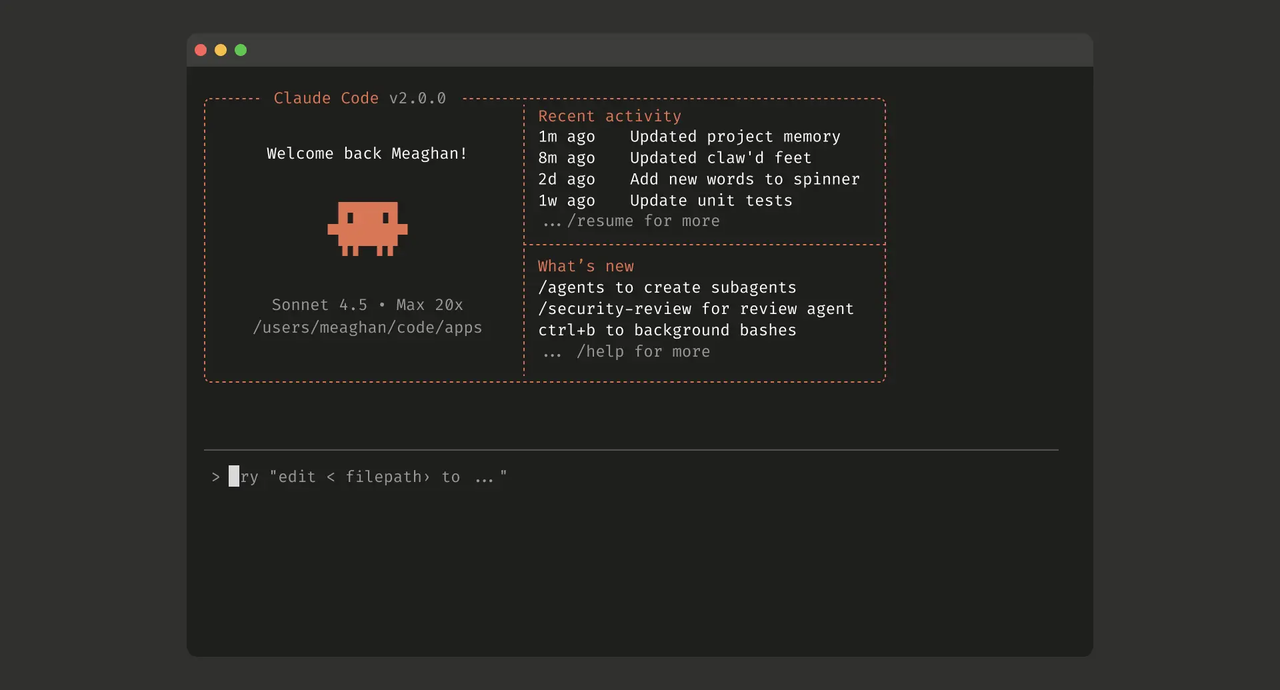
Claude Code is a CLI. You run claude in your terminal, point it at a project, and it can read files, run commands, edit code, and use tools — all from your existing dev environment. No browser tab, no copy-paste shuttle. According to the official Claude Code setup docs, it runs on macOS, Linux (Ubuntu 20.04+ / Debian 10+), and Windows, with a minimum of 4GB RAM and an internet connection.
That last bit — internet connection — is the part that matters for this article.
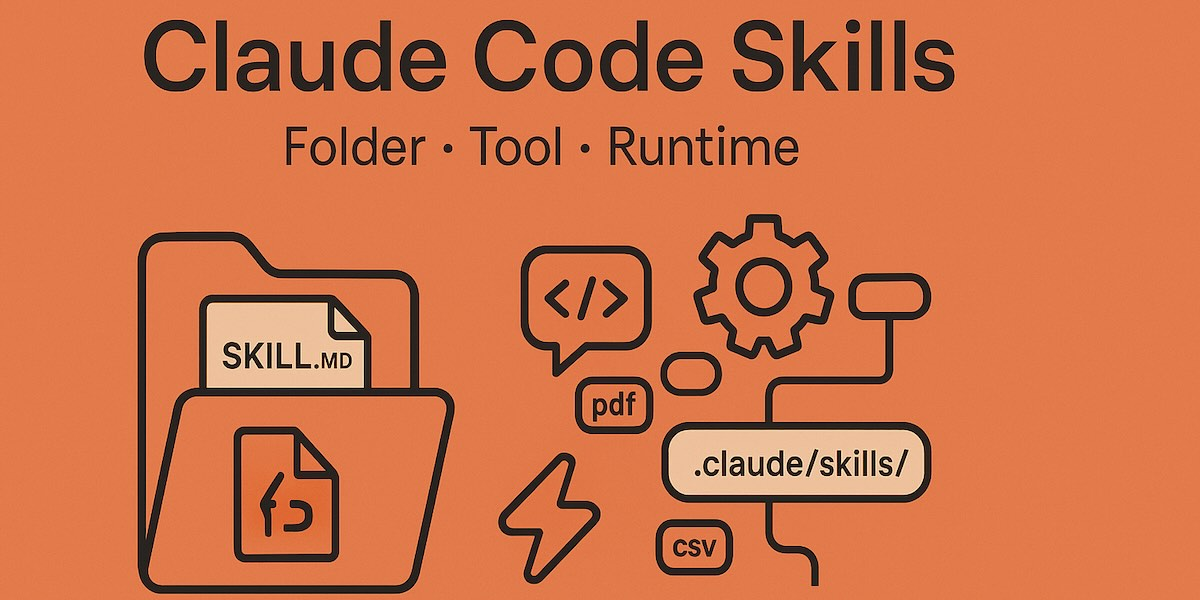
What's different from the web interface
The web interface is conversational. You paste, it responds. You're doing the integration manually. Claude Code lives where your code lives. It reads the actual files. It runs the actual commands. It writes commits. The model still runs in the cloud, but the work surface is your own machine, your own terminal, your own filesystem.
This is the distinction the "offline AI" framing gets wrong, so let me just say it plainly:
A word on "offline"
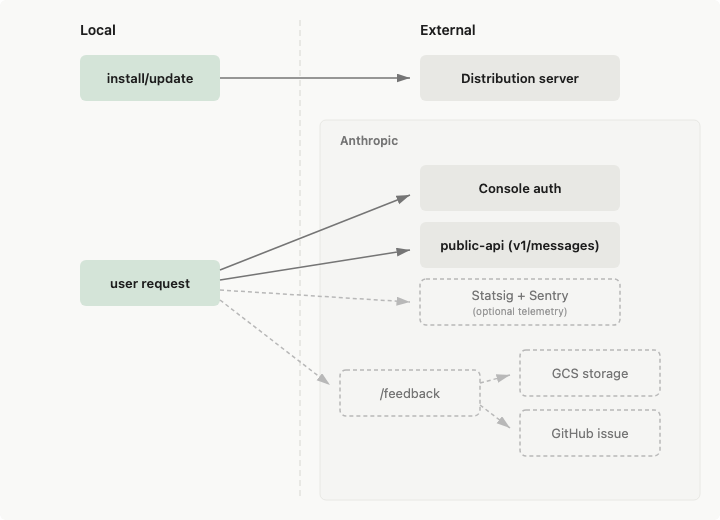
I want to be upfront about something I've seen in a lot of writeups, including the brief I almost wrote against. Claude Code is not offline AI. The CLI runs locally, but every prompt and every model response goes over the network to Anthropic's servers. The data usage documentation says it directly: "Claude Code runs locally. To interact with the LLM, Claude Code sends data over the network."
If you need a model that runs entirely on your machine, you're looking for something else — Ollama, LM Studio, a local llama.cpp setup. That's a different category.
What Claude Code does offer, which is what I think the "moving AI offline" headline is reaching for, is local control over what happens around the AI: which files it sees, which commands it runs, which third-party services it touches. That's the real story, and it's worth telling without the misleading shorthand.
Why privacy is driving the move
Here's the honest version of the privacy story.
What data leaves your machine and what doesn't
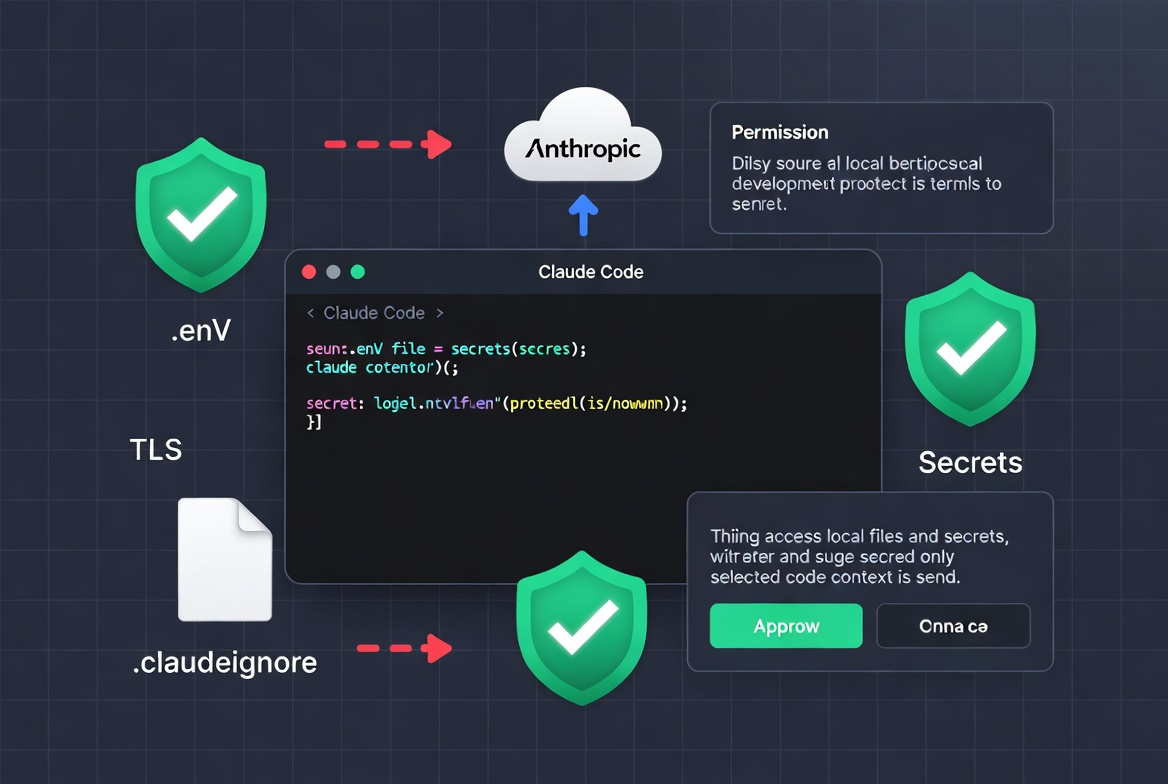
When you run Claude Code, your prompts and the relevant code context go to Anthropic over TLS. The CLI itself, your full repo, anything in your .claudeignore, anything you don't explicitly include in a session — that stays put. You decide the boundary, file by file.
That's meaningfully different from pasting into a browser, where you're often pasting more than you need because you're explaining context manually. With the CLI, the context comes from the actual files you point at. No more, no less.
Why solo operators care more than enterprise teams
In September 2025, Anthropic announced an updated Consumer Terms and Privacy Policy that changed the default for Free, Pro, and Max accounts — including Claude Code sessions tied to those accounts. New or resumed sessions can now be used for model training unless you opt out, with a five-year retention period if you opt in.
This matters less for an enterprise — Claude for Work, API usage, Bedrock, and Vertex remain out of training by default. It matters more for a solo founder, because that's exactly the account type most of us are on.
The Anthropic privacy center walks through how to check your setting. If you're running Claude Code on a Pro or Max plan, this is worth ten minutes of your afternoon.
I had to update mine. I assumed I'd opted out months ago. I had not.
The real cost of cloud-only AI
I'm not going to pretend the cloud is the enemy. It's not. The model needs cloud compute to run. But there's a real cost to a purely browser-based AI workflow, and it's the one nobody puts on a pricing page.
Latency, dependency, and data exposure
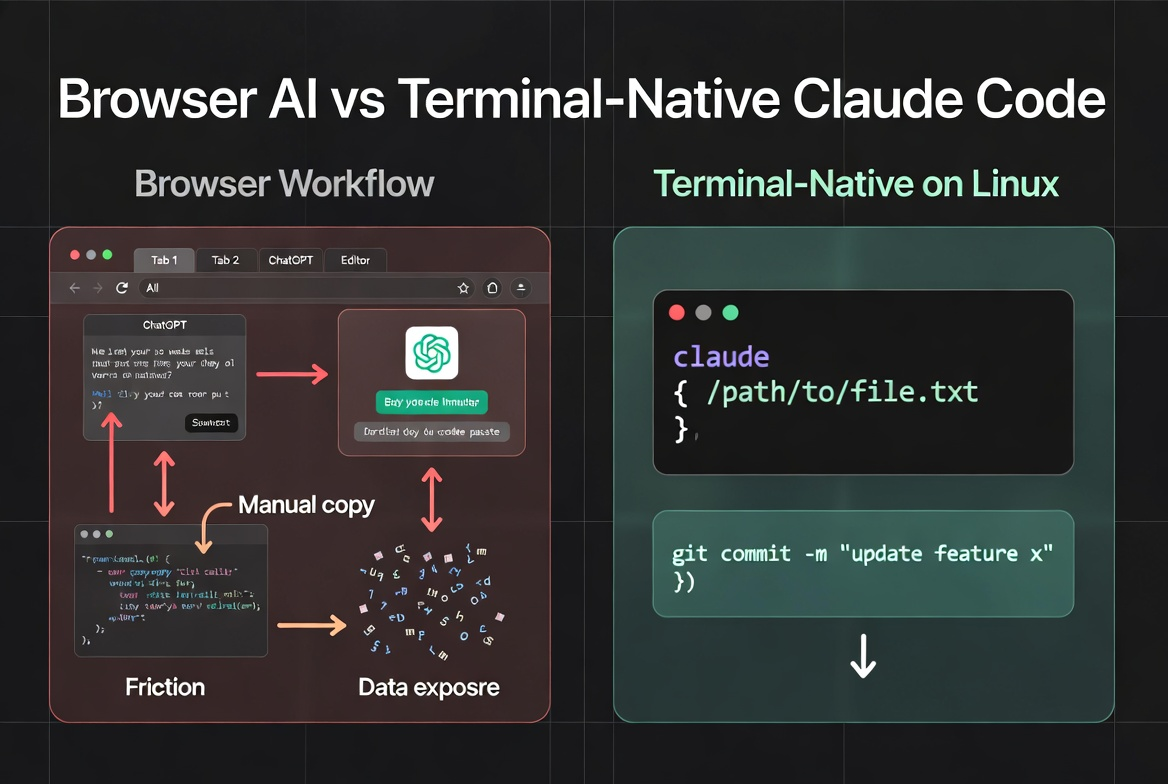
Latency is the obvious one. Browser → context paste → AI response → manual copy back → editor. Three seconds here, four seconds there. Adds up fast when you're iterating on something.
Dependency is the quieter cost. Your AI tab going down, hitting a rate limit, or losing context mid-conversation breaks your flow in a way a CLI doesn't. The CLI lives where your work lives.
Data exposure is the one that bothered me most, before I changed setups. Every paste was a small judgment call. Is this safe? Does this contain a key? Is the comment context-revealing? I made the right call most of the time. But "most of the time" is not the bar I want for my own data hygiene.
Why cloud-only AI isn't always the best choice
Here's what I'd push back on, gently. If your AI workflow is "open browser, paste, copy, paste back" — you're paying a tax that has nothing to do with the model's quality. The model isn't the bottleneck. The handoff is. Moving to a terminal-native setup doesn't make AI smarter. It removes the friction layer between AI and your actual work.
This is also where I think a lot of people quietly overestimate how much they need the browser. Try a week without it. You'll find out fast.
How to install Claude Code on Linux
Okay, the practical part. I'll keep this short — the docs are good, no need to repeat them.
System requirements
Ubuntu 20.04+, Debian 10+, or equivalent
4GB RAM minimum
Internet connection (yes, still needed — see above)
A paid Claude account: Pro, Max, Team, Enterprise, or a Console (API) account
Step-by-step setup
The native installer is what Anthropic now recommends. No Node.js, no npm dance:
curl -fsSL https://claude.ai/install.sh | bashThat's the whole install. After it finishes, open a new terminal so your PATH picks up the new binary, then verify:
claude --versionIf you prefer npm — same binary under the hood, you just lose the auto-update — you can install via the official @anthropic-ai/claude-code package on npm. Don't use sudo. The docs are explicit about this and they're right; it creates permission problems later.
First launch (claude from any project directory) walks you through OAuth or API key auth. One thing worth doing immediately: run claude doctor. It checks your install, shell config, and authentication state and tells you what's wrong if anything is.
If you want to keep telemetry minimal, set these before your first session:
export DISABLE_TELEMETRY=1
export DISABLE_ERROR_REPORTING=1
These don't affect training data — that's a separate account-level setting — but they tighten what leaves your machine for operational logging.
Local AI: what it can and can't do
Treat this section as the "what this won't fix" reality check.
Where local processing helps
Filesystem boundaries. Claude Code only writes within the directory you launched it in. It can read outside, but write actions are scoped. That's a real safety property.
Permission gating. Bash commands, edits, web fetches — they all prompt for approval the first time, and you can allowlist what you want. You see what's about to happen before it happens.
.claudeignore files. Same syntax as.gitignore. Anything in there, Claude Code never reads. Your.env, your secrets dir, your private notes — keep them out by name.Context that isn't a paste. The model sees what you point it at, no more.
Where you still need the cloud
The model itself. Reasoning, code generation, multi-step planning — all happens server-side. You can't fly. You can't work without an internet connection. You can't avoid sending the prompts and the relevant context up the wire.
If your threat model genuinely requires nothing leaving the machine — air-gapped work, classified projects, compliance-bound code — Claude Code is not your tool. Use a local-only model and accept the capability tradeoff.
For most solo founders, the realistic question isn't "cloud or no cloud." It's "how much of my workflow do I want stitched together by my own hand, versus by something that lives where my work lives." For that question, moving from browser to terminal is one of the cleanest upgrades I've made in a year.
It's also worth noting: the move from scattered tabs to a unified work surface is its own productivity story. HBR's 2022 study tracked 137 workers across three Fortune 500 companies and found they toggled between apps about 1,200 times a day. Solo founders aren't immune to this — we're just less likely to count it.
FAQ about Claude Code on Linux
Is Claude Code Linux truly offline?
No. The CLI runs locally and the work happens on your filesystem, but every model interaction goes to Anthropic's servers over the network. If you've seen "offline AI" framing for Claude Code, it's wrong. What's true is "local execution surface, cloud model."
What's the difference between local and cloud AI models?
Local models (Ollama, llama.cpp, LM Studio) run entirely on your hardware. No prompts leave your machine. The tradeoff is capability — open-weight models you can run locally are usually a step or two behind frontier models. Cloud models like Claude run on dedicated infrastructure and ship the latest capabilities. Claude Code is a cloud model with a local interface. Different category.
Do you need technical skills to set it up?
If you can run a curl command and follow OAuth prompts in a browser, you can install it. The first time you use the CLI feels strange if you've only used chat AI before, but it's a few hours of orientation, not weeks. Run claude doctor whenever something feels off — it's the most useful command in the bundle.
That's where I am with this right now. The "offline AI" headline is doing a lot of work for an idea that, when you actually check it, is more like "less browser-mediated AI." Different thing. Worth doing anyway, especially if you've been pasting code into a chat window all year and quietly hoping for the best.
If you try it this week, the only thing I'd push you toward first is the privacy settings page. Make sure your training opt-in is what you actually want it to be. The rest of the setup can wait until tomorrow. That part can't.
Previous Posts:
Get automation tips for your workflow
Weekly insights for non-technical professionals. No spam ever.