
How to Build AI Agents for Repeated Work
How to build ai agents starts with one repeated workflow, clear inputs, review points, and a practical reason to build.
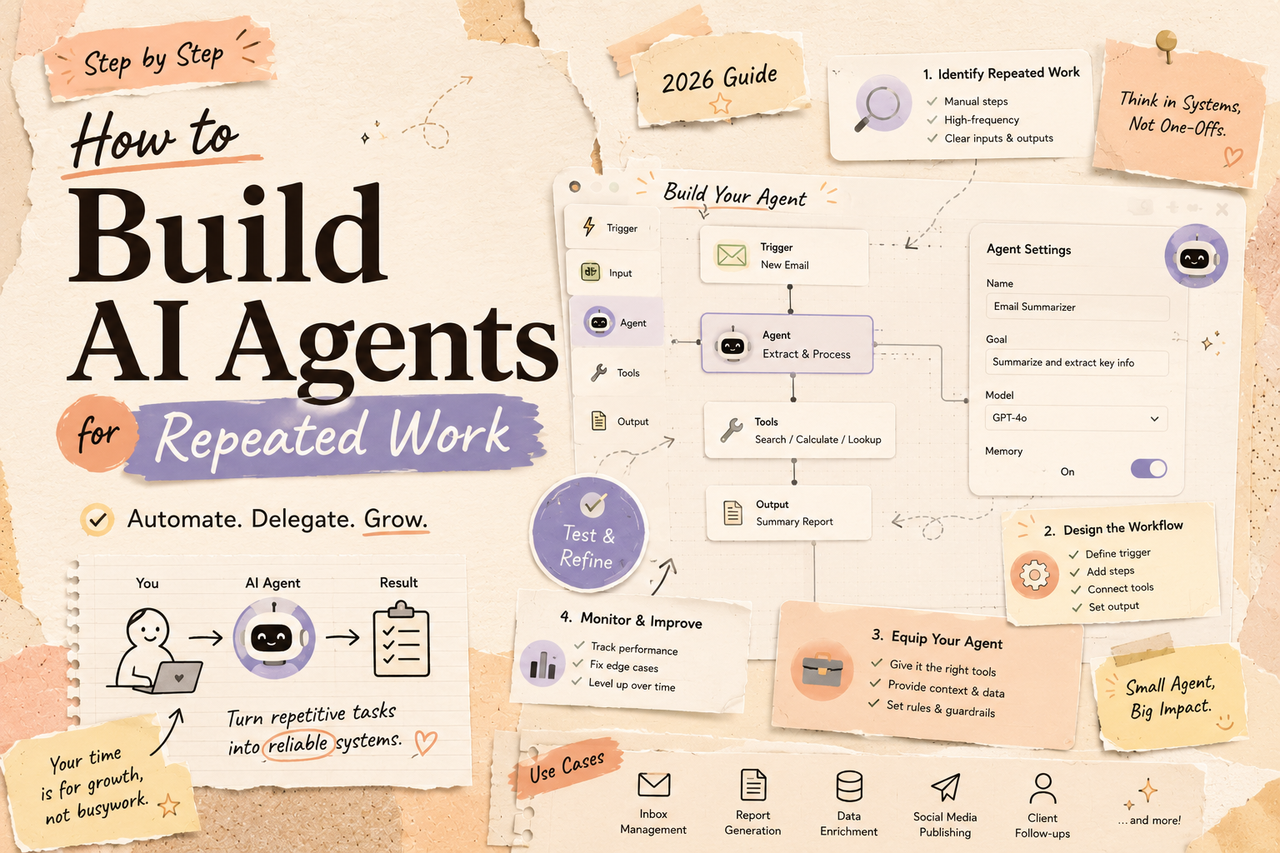
Hi, I'm Nova. Let me be honest with you — I spent three weeks trying to build my "perfect" AI agent system before I had a single useful one running. The architecture diagrams were beautiful. The actual output? Zero. So if you're here looking for a 20-component multi-agent pipeline walkthrough, you're in the wrong place. What I can give you is the one framework that finally got me a working agent in a single afternoon — focused entirely on repeated work, not grand automation ambitions.
Here's what I've learned: the best first agent isn't the smartest one. It's the one that solves one boring, repetitive job and does it reliably enough that you actually trust it.
Step 1: Choose One Repeated Job
This is where most people — myself included — go wrong. They pick something vague like "customer communication" or "research," and then wonder why the agent keeps drifting.
The right starting point is painfully specific. Ask yourself: what task do I do more than three times a week, in roughly the same way, with roughly the same inputs?
Good candidates look like:
Summarizing incoming support tickets into a one-line triage note
Drafting a weekly status report from a shared doc
Extracting action items from meeting transcripts
Categorizing new leads by industry from a CRM field
Bad candidates: anything that requires judgment calls that change every time, anything with unpredictable inputs, anything where you're not sure what "done" looks like.
As OpenAI's workspace agent guide puts it — shared agents work best when they're tied to a specific, recurring workflow your team already understands. The word "specific" is doing a lot of work there. If you can't describe the job in one sentence, you're not ready to automate it.
Exit condition: If you can't name one concrete repeated task right now, stop here. Don't build anything yet.

Step 2: Map Inputs, Decisions, and Outputs
Once you've chosen the job, resist the urge to open any tools. Spend 20 minutes with a blank doc instead.
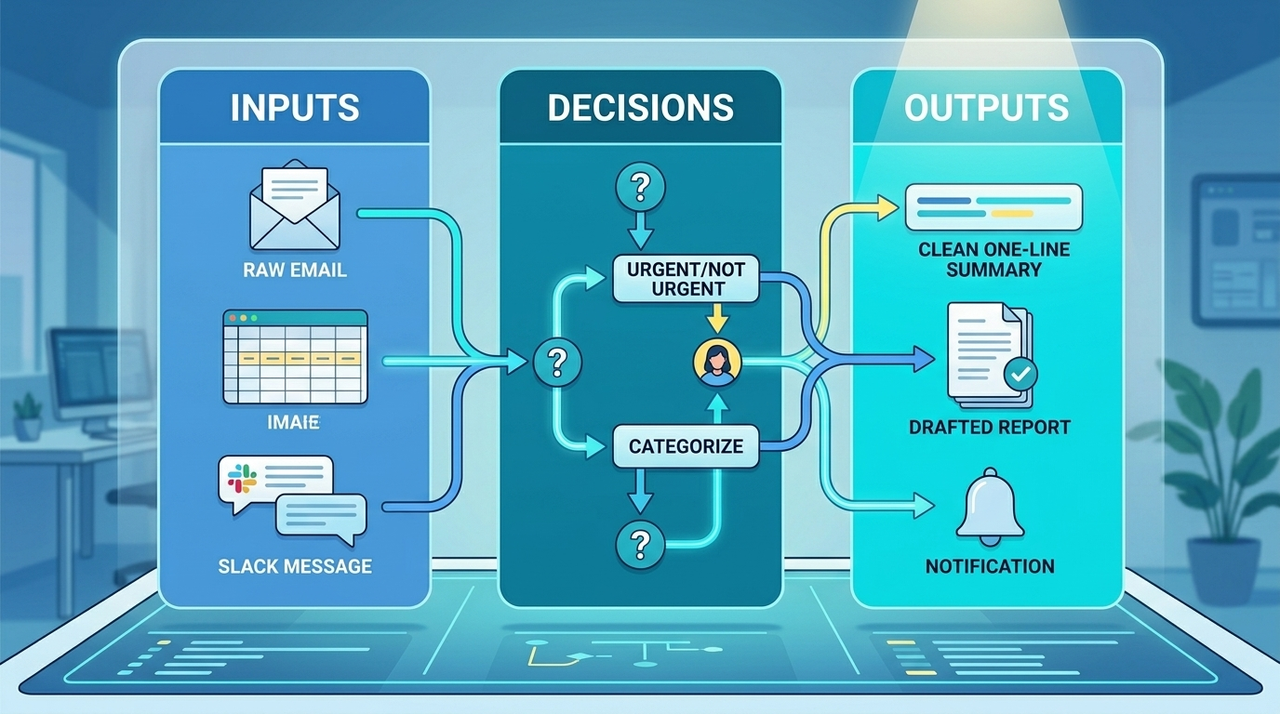
Draw three columns:
Inputs — What information does this task always start with? (e.g., raw email text, a spreadsheet row, a Slack message)
Decisions — What choices get made in the middle? (e.g., "Is this urgent or not?" / "Which category does this belong to?") This is the column most people skip, and it's the most important one. Every decision point is a place where your agent can fail or go off-track.
Outputs — What does "done" look like? A filled spreadsheet cell? A drafted message? A Slack notification? Be specific about the format, not just the content.
This mapping exercise does two things. First, it shows you whether the task is actually automatable — if the decisions column is full of "it depends on context I can't describe," you've found your exit condition. Second, it tells you exactly what to put in your prompt or workflow later.
According to Anthropic's research on building effective agents, the most successful implementations use simple, composable patterns rather than complex frameworks. That simplicity starts at the mapping stage — not at the tooling stage.
Step 3: Pick the Lightest Build Path
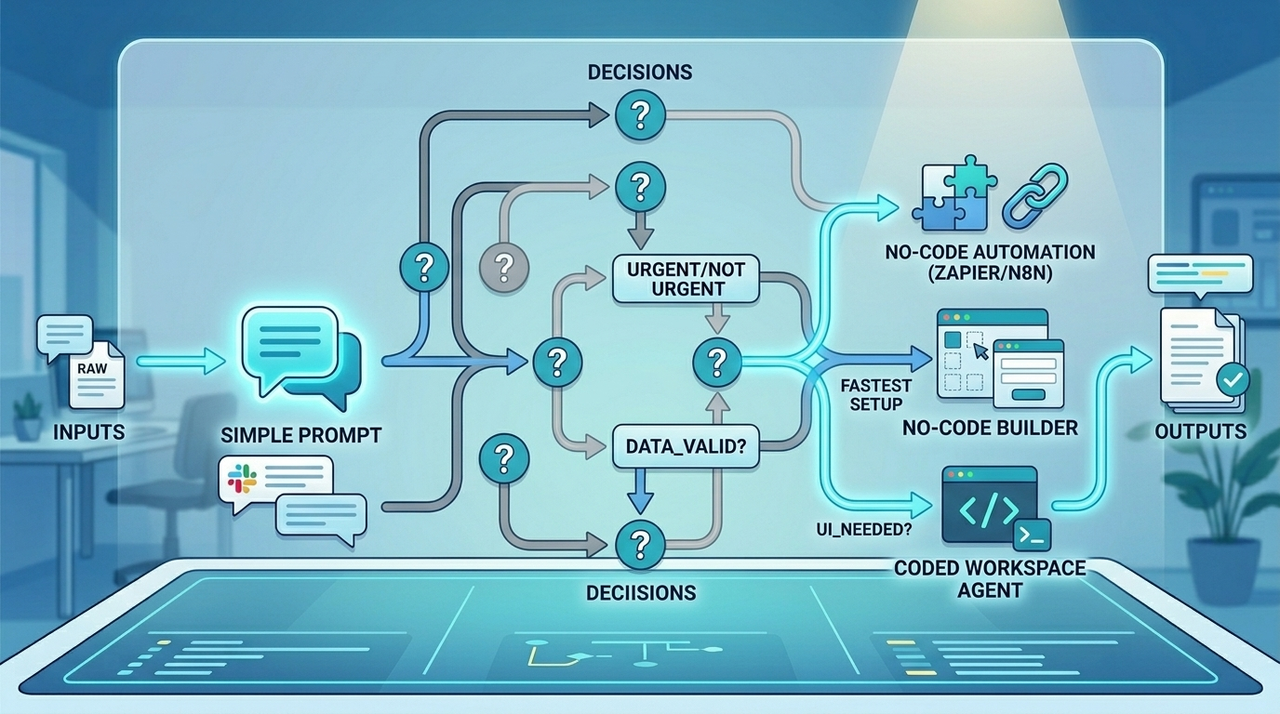
Here's a truth the AI industry doesn't advertise enough: most repeated work doesn't need a real "agent" at all. Before you commit to building one, work through this decision tree from lightest to heaviest.
Prompt, Automation, Builder, or Workspace
A better prompt — If your task is self-contained and runs inside a single conversation (e.g., "reformat this transcript"), a well-structured prompt with clear instructions and output format might be everything you need. Test this first, always. A strong prompt is free, instant to iterate, and requires zero infrastructure.
An automation tool — If the task involves moving data between apps (e.g., "when a form is submitted, extract the key fields and post to Slack"), a no-code tool like n8n, Zapier, or Make will get you there without writing a line of code. These tools now have native AI nodes that let you drop an LLM step into any workflow. n8n's AI agent platform is a good example — it lets you add conditions and filter data before the AI even touches it, which keeps costs down and outputs clean.
A no-code builder — If your task requires more back-and-forth reasoning (e.g., "research this company and summarize what matters for a sales call"), a builder tool with memory and tool access is worth considering. These are drag-and-drop environments where the agent can call APIs, search the web, or pull from a knowledge base.
A coded workspace agent — Only reach here if the above options fail. This means writing actual logic, managing state, and handling errors yourself. It's more powerful, but the maintenance cost is real.
The rule I live by: don't build what a prompt can do. Don't code what a builder can handle. Save your engineering effort for the 10% of tasks that genuinely require it.
Step 4: Add Memory and Human Review
Your first agent draft will not be right. That's fine — the goal of this step is to keep it from being dangerously wrong.
Memory means giving your agent context it can use across runs. The simplest version is just a text file or a doc that the agent can read at the start of each task: your company's terminology, a list of past decisions, preferred output formats. You don't need a vector database for this. A well-maintained text document works surprisingly well for small, focused agents.
Human review is non-negotiable at the start. For the first two weeks, treat your agent's output as a draft, not a final product. Review everything it produces. Not because you don't trust AI — but because this is how you catch the gaps in your mapping from Step 2.
Build a simple checkpoint: after the agent generates output, it goes to you (or a teammate) for a quick approve/edit/reject. Over time, you'll notice that most outputs fall into one of three buckets: always right, always wrong in the same way, or unpredictable. The first bucket you can stop reviewing. The second bucket you fix in the prompt. The third bucket is a signal you've picked the wrong task.
Gartner research cited in enterprise AI guides predicts that over 40% of agentic AI projects will fail or be cancelled by 2027 due to escalating costs, unclear value, or insufficient risk controls. The human review step is your direct defense against becoming that statistic. It's not overhead — it's your feedback loop.
Step 5: Test, Simplify, or Stop Building
This step has three branches, and knowing which one applies to you is the whole game.
Test — Run your agent on 10–20 real examples from the past. Not synthetic test cases — actual instances of the task you've already done manually. Compare the agent's output to what you would have done. Calculate a rough accuracy rate. If it's above 85% on the boring cases, you're in good shape to deploy with review.
Simplify — If the agent keeps failing in the same place, go back to your decision map from Step 2. You've almost certainly found a decision point that's more complex than it looks. The fix is usually to narrow the task further, not to upgrade the model. Complexity is your enemy at this stage.
Stop building — This one is underrated. If after two rounds of iteration your agent still produces outputs you wouldn't trust without rewriting them entirely, the task might not be ready to automate. And that's genuinely okay. Some tasks look repetitive but rely on tacit knowledge that's hard to encode. Identifying this early saves you weeks of frustration.
One more thing worth repeating: you're building your first useful agent, not a complete system. As your trust grows and your task map gets tighter, you can layer on more. But the foundation has to be one job done reliably.
FAQ
Do I need coding skills to build a simple agent?
No — and I'd actively discourage starting with code. For most repeated tasks, a no-code automation tool or an AI builder handles everything without touching a terminal. Coding becomes necessary only when you need custom logic, API integrations that tools don't support, or very specific error-handling behavior. Start with the lightest path (Step 3) and only move to code when you hit a wall.
What is the smallest useful agent I can build?
Smaller than you think. A genuinely useful minimal agent might be: a prompt template that takes a raw support email and outputs a one-line summary in a consistent format. No integrations, no memory, no tool calls. Just a reliable, repeatable transformation of one input to one output. If that's saving you 10 minutes a day, it's worth having.
How many workflows should one agent handle?
One. At least at first. There's a strong temptation to add scope — "well, since it's already reading the email, why not also check the CRM and draft a reply?" — but each added step multiplies the ways things can go wrong. Keep your first agent to a single workflow. Once it's stable and trusted, you can decide whether to extend it or build a separate agent for the next job.
Building an AI agent for repeated work isn't about technology — it's about clarity. The teams and individuals who get real value out of their first agent are the ones who took the time to map the job before touching a tool. The ones who struggled? They usually started with the tool and worked backwards.
Pick one repeated task, map it carefully, choose the lightest build path that gets you there, and keep a human in the loop until you trust the outputs. That's the whole playbook. Everything else is iteration.
Previous Posts:
Most first-time builders overcomplicate AI agents. Here’s why starting with one narrow workflow usually works better than chasing a “full AI operating system” — what is agentic AI tools
Workflow builders and workspace agents solve very different problems — this breakdown helps you choose the lightest setup that actually fits your work — workspace agents vs workflow builders
Before automating everything, understand the difference between assistants, workflow agents, coding agents, and autonomous systems — what are Claude managed agents
AI workflows usually fail from too much complexity, not too little capability. This is the practical framework solo founders are using instead — AI workflow for solo founders
If your AI setup already feels messy, fragmented context between tools is probably the bottleneck — not the model quality itself — why AI workflows feel fragmented
Get automation tips for your workflow
Weekly insights for non-technical professionals. No spam ever.