
Gumloop Alternatives in 2026: What Else Is Worth Considering
Looking for Gumloop alternatives? Here's a clear breakdown of what else is out there — by use case, workflow style, and the kind of operator each tool actually fits.

Hello, see you again~ I'mNova. I'll be honest — I didn't start looking for Gumloop alternatives because I thought it was a bad tool. I started looking because I realized it wasn't quite matching how I actually work. And that's a different problem.
After a few weeks of testing other options, I want to share what I found — not as a ranking, but more like a map. Different tools for different kinds of work.
Why People Look for Gumloop Alternatives
It's powerful — but not for every workstyle
Gumloop is genuinely capable. It's a no-code automation tool that gives you a flexible canvas to build workflows using modular nodes — whether you're scraping websites, summarizing data, processing documents, or routing tasks with conditions. For the right use case, it's excellent.
But "powerful" and "fits how I work" aren't the same thing. I kept noticing that people who were frustrated with Gumloop weren't necessarily complaining about bugs or missing features. They were running into something more fundamental.
Common friction points that push people to look elsewhere
If you've looked at Gumloop alternatives, you've likely run into one of the following: it's too complex to figure out and the learning curve is steep, it's lacking some key integrations you need, or it's expensive relative to other AI automation tools.
That's a pretty accurate summary of the feedback I've seen. The learning curve, the credit-based pricing that's hard to predict, and the assumption that your work fits neatly into nodes — those are the three things that push people to explore other options.

How We're Thinking About Alternatives Here
Not a ranking — a decision map by use case
I'm not going to tell you "Tool X is better than Gumloop." That framing isn't useful. What I will do is walk through the categories of alternatives and be specific about who each one is actually for — and who it isn't.
Truncated comparisons waste everyone's time. So let's be real about the tradeoffs.
If You Want More Visual Workflow Control
n8n
Pick n8n if you need self-hosting, stronger failure handling, and deeper control over custom logic. This is the tool for people who think in APIs and don't mind getting their hands a little dirty.
n8n is open-source, highly customizable, and great when security or infrastructure control is a must. You must be comfortable with JavaScript, JSON, and REST APIs to use it effectively.
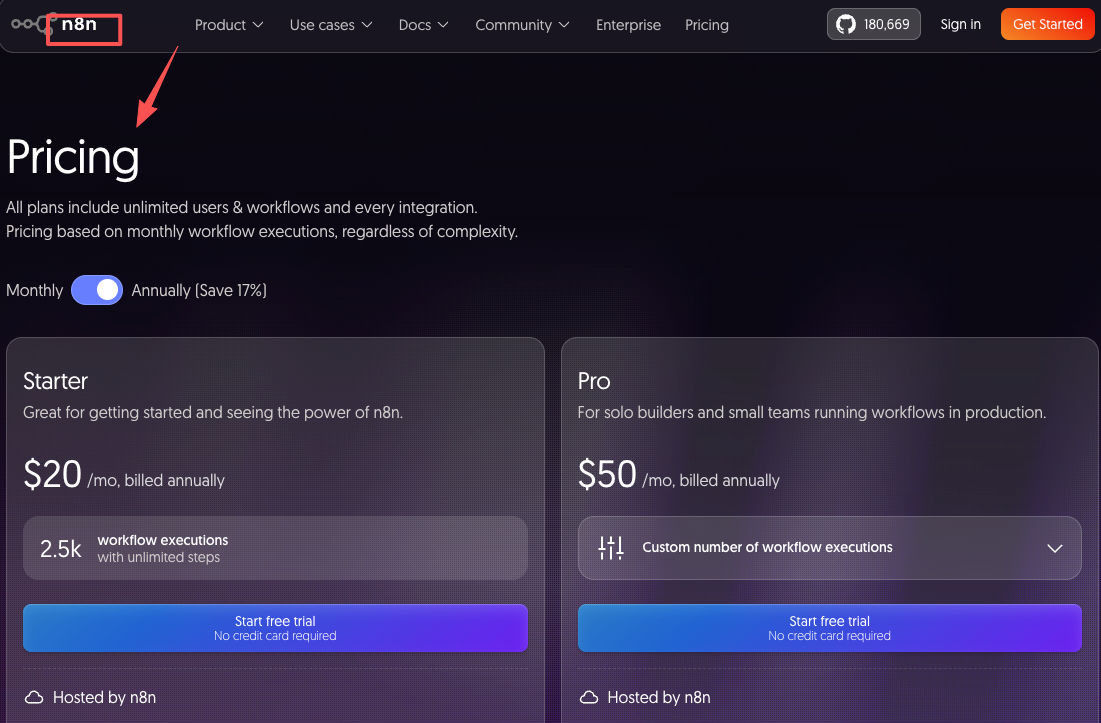
On pricing (as of early 2026): the self-hosted Community Edition is free with unlimited executions. Cloud plans run from $24/month (Starter, 2,500 executions) to $60/month (Pro, 10,000 executions). Check the official n8n pricing page for current details — tiers have shifted a few times.
Best for: developers, technical founders, ops teams that can handle a VPS and the occasional 2 AM Docker issue. Not ideal for: solo operators with no technical background who just want things to run without maintenance overhead.
Make (formerly Integromat)
Make is for people who think visually. When workflows branch in multiple directions, seeing everything at once makes troubleshooting easier. If you like shaping data step by step, this one feels intuitive.
Make.com pricing starts with a free plan (1,000 operations/month), Core at around $10.59/month, Pro at $18.82/month, and Teams at $34.12/month. It's among the most affordable hosted options in this category. Worth exploring at Make's official site.
Make lets you build multi-step flows on one screen, with built-in data tools to map fields and adjust data inside the builder. Error handling lets you set rules for what happens if something fails.
Best for: non-technical teams who need visual clarity, moderate automation volume, and predictable costs. Not ideal for: AI-heavy workflows or teams that need code execution — Make's AI integration is relatively basic compared to Gumloop or n8n.
If You Want an AI-First Assistant for Daily Work
Lindy
Lindy takes a genuinely different approach. It works like an AI assistant that decides the next best step and keeps work moving, instead of forcing you to design every step manually. It fits common ops patterns like "intake → qualify → route → update systems → notify the right person."
Lindy acts as an always-on assistant you can interact with via iMessage or SMS — you text it requests, and it handles tasks like drafting emails, scheduling meetings, prepping you before calls, and triaging your inbox.
Pricing as of early 2026: the Plus plan runs $49.99/month, the Pro plan $59.99/month. There's a 7-day free trial but no permanent free tier. You can see the current breakdown on Lindy's pricing page.
Best for: solo operators and small teams who want an AI that handles email, scheduling, and CRM updates without building a flow from scratch. Especially useful if your bottleneck is daily task management, not batch data processing. Not ideal for: high-volume, logic-heavy data workflows — that's Gumloop's territory, not Lindy's.
ChatGPT + plugins / Custom GPTs
Honestly? Worth mentioning because a lot of people overlook how far this combination has come. If your need is primarily about thinking alongside AI — drafting, researching, making judgment calls — a well-configured Custom GPT with the right integrations can handle a surprising amount.
It's not a workflow builder. It doesn't run autonomously. But for a solo creator or founder who mostly needs AI assistance rather than AI automation, it might be all you need — at a fraction of the cost. The tradeoff is that nothing runs without you.
If You Want an All-in-One Workspace That Fits How You Work
What to look for in this category
This category is where the gumloop alternatives conversation gets more interesting. Some people aren't just looking for a different automation tool — they're looking for something that understands the context of their work, not just the structure of their processes.
The best setup often comes down to a few factors: your level of technical expertise, the specific tools you want to integrate, the nature of your workflows, and your non-negotiable security and compliance features.
If the core problem is "I have too many tabs and my work lives in too many places," a workspace-first tool may be worth exploring alongside — or instead of — a pure automation builder.
Key questions before switching
Before you commit to any alternative, I'd ask yourself three things:
Is my problem automation volume or context fragmentation? If you're doing the same thing 500 times — automation builder. If you're switching between ten different modes of work and losing context each time — workspace.
Who's maintaining this six months from now? Relay.app is worth considering if you're looking for the best all-around alternative at a great price — and as an honest reference point, Relay's comparison of Gumloop alternatives is one of the more balanced I've read in this space.
What's your real usage volume? Credit-based and operation-based pricing models can surprise you. Map out your actual workflow runs per month before you commit.
If You Want to Keep Using Gumloop but Fix Specific Gaps
Not every frustration is a reason to switch. A few things worth trying first:
Credit overruns: Audit which nodes are consuming the most credits. Advanced AI model calls (GPT-4, Claude Sonnet) run ~20 credits each versus 2 for standard calls. Switching model choice mid-flow for lighter tasks can cut costs significantly.
Maintenance overhead: Build modular subflows that can be updated independently. If a data source changes, you want to fix one node — not rebuild a 15-step flow.
Context loss between runs: Gumloop doesn't carry memory between flow executions by default. For anything that requires continuity, you'll need to pass state explicitly through your data nodes, or log outputs somewhere your next flow can read them.

How to Choose: A Simple Decision Framework
What matters most to you? Process automation vs context continuity vs ease of use
Priority | Consider |
|---|---|
High-volume, defined processes | Gumloop, n8n, Make |
Daily task management + AI assist | Lindy, ChatGPT |
Developer control + cost at scale | n8n (self-hosted) |
Visual simplicity + affordability | Make |
Context-aware workspace | Explore AI workspace category |
The best automation tool really depends on your level of technical expertise, the workflows you want to automate, and whether you prefer flexibility or a managed experience. No single tool wins across all those dimensions — and that's okay.
If you're genuinely unsure, the fastest way to find out is to build one real workflow in two different tools. Not a demo. A workflow you'd actually run. That'll tell you more than any comparison article — including this one.
FAQ
Q: Is there a free alternative to Gumloop?
A: n8n is free to self-host with unlimited executions — that's the most generous free option in this category by a wide margin. Make has a permanent free tier at 1,000 operations/month. Lindy offers a 7-day trial only.
Q: Which Gumloop alternative is easiest for non-technical users?
A: Make and Lindy are generally the most accessible. Make for visual workflow building; Lindy if you prefer a conversational, assistant-style interface over node design.
Q: Can n8n do everything Gumloop does?
A: Mostly yes, with more flexibility — but with a steeper learning curve and infrastructure overhead. n8n gives you complete control over how workflows run, supporting custom code, API calls, and complex logic, but you must be comfortable with JavaScript, JSON, and REST APIs.
Q: Is Make.com cheaper than Gumloop?
A: Yes, significantly for standard workflows. Make's Core plan at ~$10/month offers solid value. Gumloop's entry paid tier starts at $37/month with a credit system that can scale unexpectedly.
Q: Should I switch away from Gumloop if I've already built flows in it?
A: Not necessarily. If your flows are running and the cost is predictable, the switching cost is real. Only worth it if you're hitting structural limitations — like needing self-hosting, better context continuity, or lower pricing at your specific usage volume.
Previous Posts:
Compare how Lindy and Gumloop differ when building agent-style workflows.
Explore real-world AI agent use cases across research, content, and operations.
See how one-person businesses are starting to operate like a full team using AI roles.
Learn how AI automation work is actually priced in the real market.
Understand the difference between AI agents and assistants in real workflows.
Get automation tips for your workflow
Weekly insights for non-technical professionals. No spam ever.