
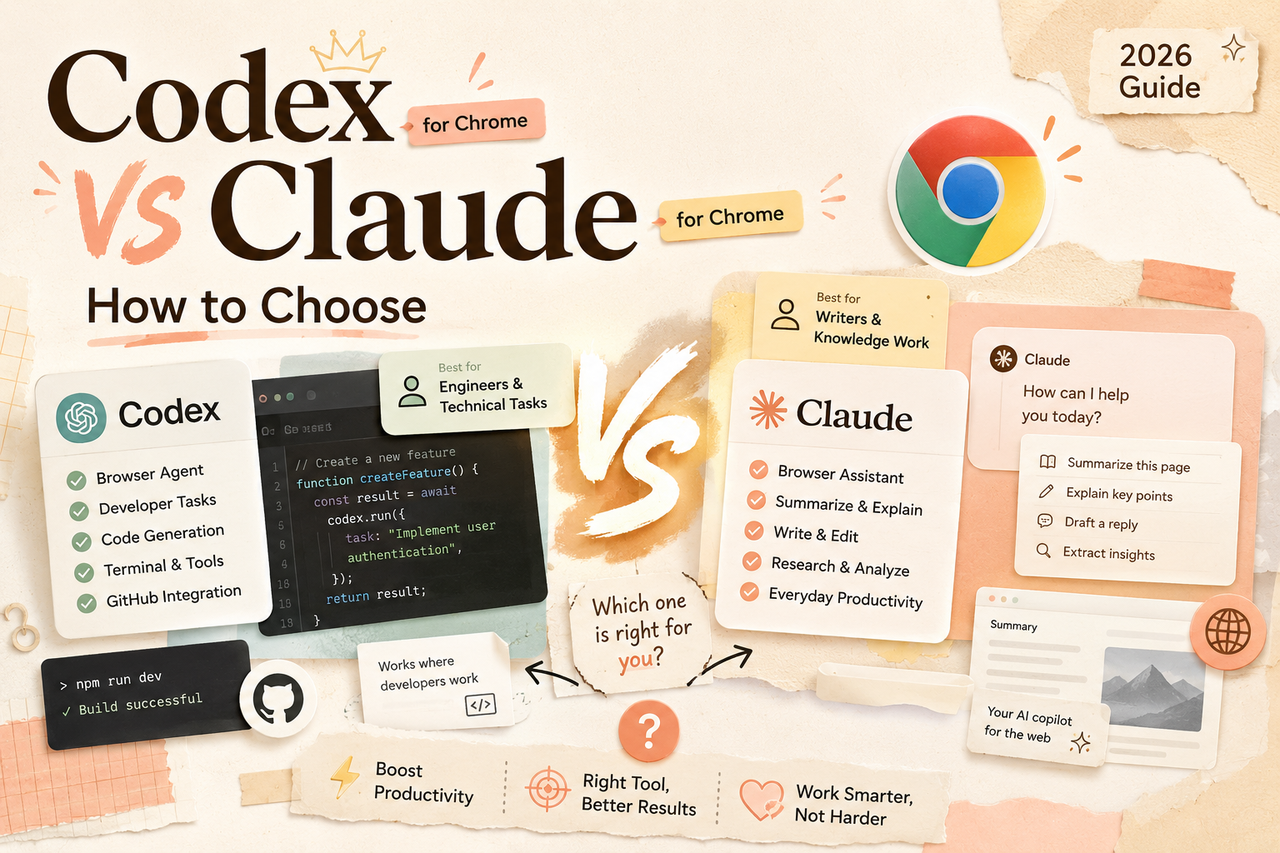
Codex for Chrome vs Claude for Chrome: How to Choose
Compare Codex for Chrome vs Claude for Chrome on signed-in workflows, permissions, multi-tab work, and which solo operators should pick in 2026.
Long time no see. I'm Nova. I had both extensions installed for about 48 hours before I realized I was spending more time deciding which one to ask than actually getting things done. That's when I figured this comparison needed to exist.
If you're a solo operator, consultant, or running a tiny team — and you're already paying for ChatGPT or Claude — you've probably seen both of these drop in the last few months and wondered: do I switch? Do I run both? Do I need either?
I've been poking at both since Codex for Chrome launched on May 7. Here's what I've found so far — no winner declared, just the actual differences that matter when you're choosing.
Quick context note: everything here is as of May 2026. Both tools are moving fast. Verify pricing, features, and regional availability before committing.
A 30-Second Snapshot of Both Tools
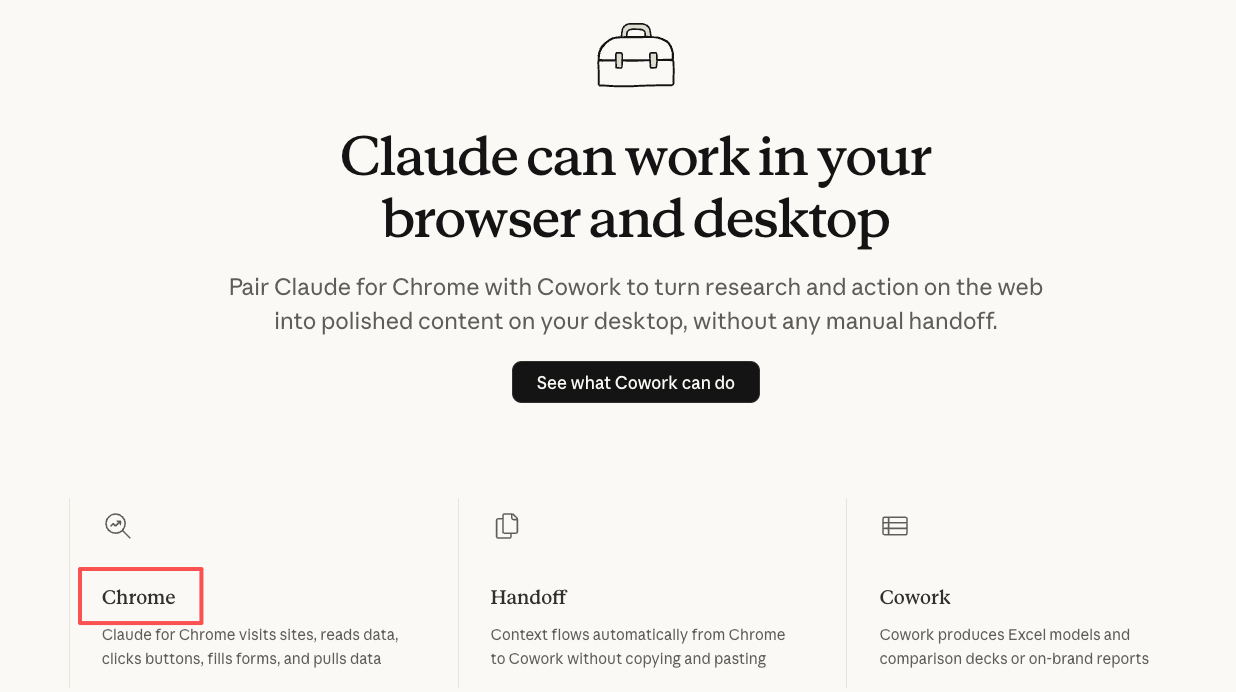
Codex for Chrome is OpenAI's extension, launched days ago. It connects through the Codex desktop app and lets Codex operate inside your signed-in browser — accessing web apps, pulling context across tabs, working with DevTools, all running in the background.
Claude for Chrome is Anthropic's browser agent, piloted since August 2025 and now in open beta for paid subscribers. It lives in a sidebar panel inside Chrome, reads the live page you're on, and can navigate, click, fill forms, and run multi-step workflows. Anthropic's original announcement post covers the safety approach in detail.
Same category. Very different design philosophy.
How They Actually Work in a Signed-In Browser
Codex: Plugin + Tab-Group Model
Codex for Chrome isn't a standalone extension — it's a plugin for the Codex desktop app. Install the extension, connect it through Plugins in Codex, and you're set.
The key design choice: Codex works in the background across multiple tabs simultaneously, organized into tab groups per thread. You invoke it with @Chrome in a prompt — something like "open Salesforce and update the account from these call notes" — or let Codex decide when it needs your browser versus its built-in tools. You keep browsing normally while it runs tasks in parallel behind you.
It's built for task delegation. Hand off something, let it run, come back to the output.
Claude: Sidebar Agent Model
Claude takes a fundamentally different approach. It opens as a sidebar on whatever tab you're already viewing. The page you're looking at is the context — Claude reads the live DOM, not a screenshot.
The default model is Sonnet 4.5 (with Opus 4.6 and Haiku 4.5 also available depending on your plan). What matters in practice: that large context window means a 50-page PDF, a 200-message email thread, a giant GitHub diff — it reads the whole thing in one pass.
Claude's model is more conversational. You're working with it about what's on screen, not delegating to a background process. I threw a long client report at it and asked for specific data points — it got through the whole thing without losing the thread. That step just… worked.
Where Each One Wins
Codex Strengths
Background parallel execution. Need to hit five web apps, pull data, compile results? Codex runs those tasks across tabs simultaneously while you keep working. For consultants juggling multiple client dashboards, this is the draw.
DevTools integration. Codex can interact with Chrome DevTools directly — useful for testing web apps, debugging frontend issues, verifying browser behavior. Claude's sidebar isn't built for that.
Codex ecosystem integration. If you're already using Codex CLI or the IDE extension, the Chrome plugin adds browser context to existing workflows. It's not a standalone tool — it's one piece of a larger system.
Claude Strengths
Live page reading with deep context. Claude sees the actual content of your current tab. Combined with its context window, it handles enormous documents in a single read without chunking. For research and content analysis, this is where it shines.
Scheduled tasks and workflow recording. Claude supports scheduled automations — daily, weekly, monthly. You can also record a workflow once and replay it later. Codex's Chrome extension doesn't have built-in scheduling.
Claude Code integration. If you use Claude Code in the terminal, the Chrome extension connects directly — build in the terminal, test in the browser, same session. That loop is already shipping.
Conversational feel. The sidebar model means you're having a dialogue about what's on screen. For document-heavy work, this feels more natural than delegating to a background agent. I'm still figuring out where each approach fits best in my own workflow, but for anything research-heavy, I keep reaching for Claude.
Permissions, Memory, and Prompt Injection
Per-Site Approval Models
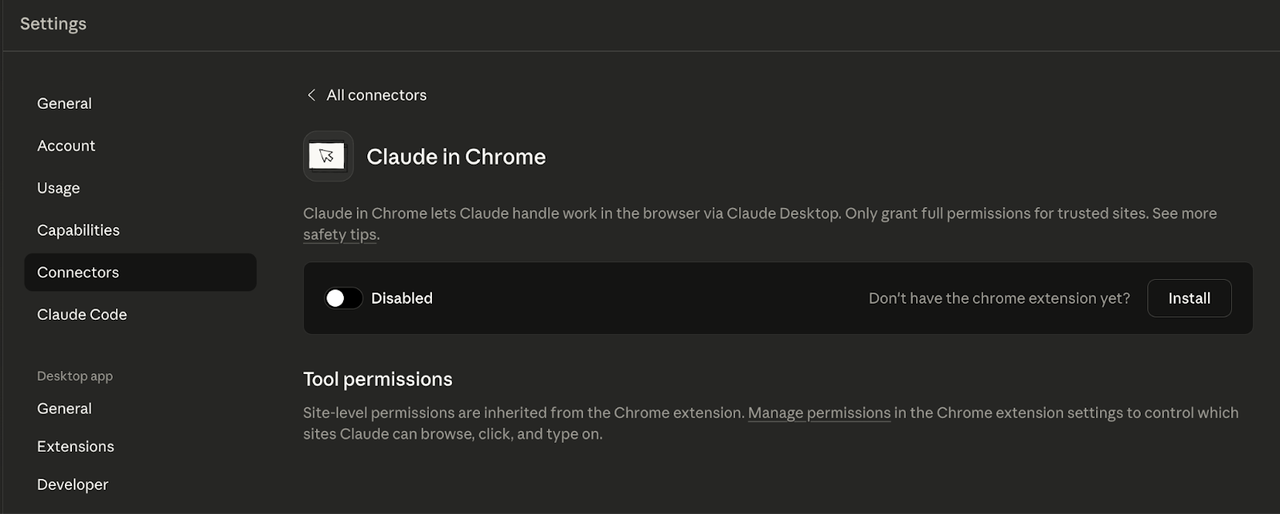
Both tools default to asking before touching a new domain. The mechanisms are similar: allow per-session, always-allow, or decline. Both let you manage allowlists and blocklists.
Codex scopes history access to individual requests — no "always allow" option for browser history. Claude offers permission modes ranging from "ask before every action" to "follow Claude's plan" (approve once, then Claude executes independently). For Teams and Enterprise, admins can push site policies org-wide.
Memory Toggles Compared
Codex ties browser behavior to your existing Memories setting — on means Codex uses saved context during browser tasks, off means sessions stay isolated. Claude's memory model is separate from the extension; you control it through account settings.
Prompt Injection — Plain Talk
Both companies acknowledge this: any AI agent that reads web pages can encounter prompt injection — hidden instructions on a site that try to hijack the agent's actions.
Anthropic published specific numbers: 23.6% attack success rate without mitigations, down to 11.2% with defenses. A recent security investigation showed a trust-boundary flaw in Claude's extension that was bypassed within hours of patching.
OpenAI's docs explicitly warn to "treat page content as untrusted context." Neither company claims the problem is solved.
My take: start with sites you trust. Don't grant either agent access to sensitive financial or medical pages until you've tested on lower-stakes tasks first. This isn't fearmongering — it's just where the technology is right now. I could be wrong about the timeline, but I'd rather be cautious here.
Pricing, Plan Access, and Regional Availability
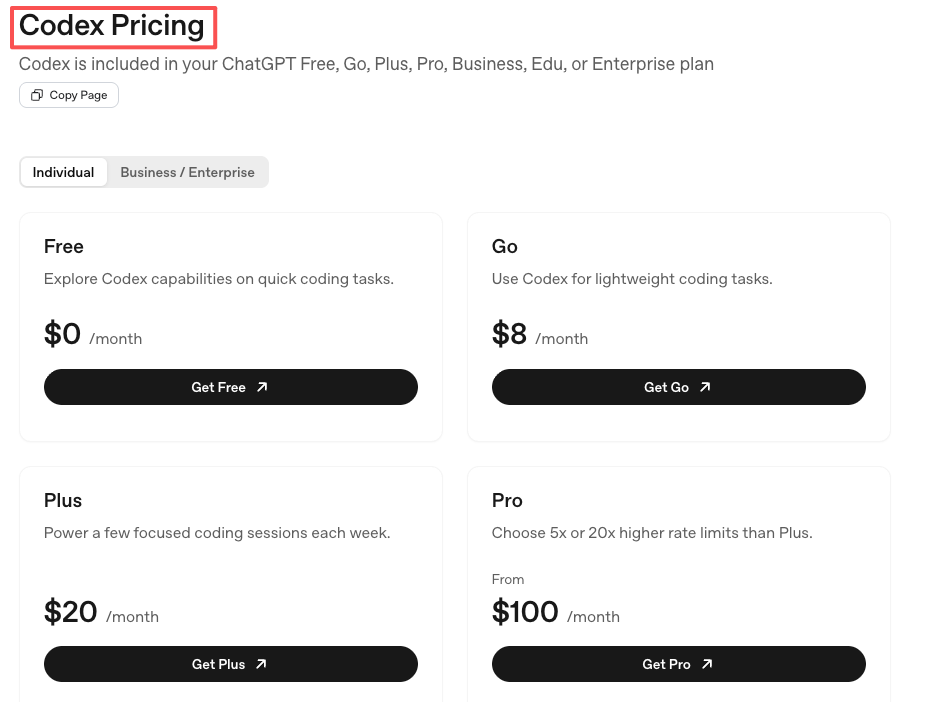
Codex for Chrome is included with your ChatGPT plan at no extra cost. It draws from your existing usage limits. Free and Plus ($20/mo) users get access; Pro at $100/mo offers 5x the capacity (currently 10x through May 31, 2026 as a launch promo). Even the free tier gets limited trial access.
Claude for Chrome requires a paid plan — Pro ($20/mo), Max ($100/mo+), Team, or Enterprise. But here's a detail worth flagging: Pro plan users are limited to Haiku 4.5 in the Chrome extension — the fastest but least capable model. You need Max ($100/mo) to unlock Opus 4.6 or Sonnet 4.5. That's a meaningful quality gap for complex browser tasks.
At the $20/mo tier, Codex gives you access to its full model stack while Claude limits you to Haiku. That price-to-capability ratio is worth thinking about.
EU/UK Status for Codex Chrome
If you're based in the EU or UK, this is the most important paragraph in this article: Codex for Chrome is not available in the EU or UK at launch. Neowin confirmed it's excluded from all EU and UK regions, with OpenAI saying support is "coming soon." No timeline given. EU-based users who install the extension will find it connects fine, but the Codex app won't expose the Chrome plugin.
Claude for Chrome has no regional restrictions. It works globally for paid subscribers.
If you're an EU-based operator choosing between these two today, the decision's already made for you — at least temporarily.
Decision Framework
Pick Codex if…
You're already in the Codex ecosystem and want browser context added to existing workflows
Your work involves multi-tab background tasks — pulling data from multiple dashboards, updating records, testing web apps
You need DevTools access for frontend debugging
You want browser agent capabilities at the $20/mo tier without model restrictions
You're not based in the EU or UK
Pick Claude if…
Your work is document-heavy — research, contracts, long threads, content analysis
You want conversational, sidebar-based interaction about what's on screen
You need scheduled recurring tasks or workflow recording
You use Claude Code and want a tight terminal-to-browser loop
You're in the EU/UK and need a browser agent that works today
You're willing to pay $100/mo for Max to get the full model selection
When Neither Is Right
If your browser work is mostly reading articles, checking email, and light research — you probably don't need either yet. The overhead of granting permissions, managing security, and learning the interaction model isn't worth it for tasks you can handle in 30 seconds. These tools earn their spot when your browser workflows involve genuine repetition or complexity. If the answer isn't obvious, that's usually a sign to stay with what you have.
Can You Run Them Side by Side?
Yes. They're separate extensions and don't conflict technically. I've had both installed simultaneously.
But the practical friction is real: context switching between two agent paradigms is mentally expensive. Codex thinks in background tasks and tab groups. Claude thinks in conversations about the current page. Trying to use both on the same workflow means spending more time choosing which one to ask than doing the actual work.
If you want to try both, give each one a specific domain. Codex for multi-tab operations. Claude for document analysis and page-level research. Don't make them share the same task.
Limitations Both Still Share
Neither handles CAPTCHAs or login prompts. Both stop and ask you to intervene manually.
Both burn through plan limits faster than regular chat. Browser automation is token-hungry. Lighter plans will feel it.
Prompt injection is unsolved for both. Defenses are improving; neither guarantees safety against malicious page content.
Neither works on mobile browsers. Desktop Chrome only (Claude also doesn't support other Chromium browsers like Brave or Arc for its extension).
Speed varies. Some tasks take longer than doing them manually, especially on unfamiliar page structures.
FAQ
Q: Which is cheaper for browser automation?
Both start at $20/mo. But Codex gives you its full model stack at that price, while Claude limits Pro users to Haiku 4.5 in the extension. For equivalent model quality, you're comparing $20/mo (Codex) vs $100/mo (Claude Max).
Q: Can I use Codex for Chrome in the EU?
Not yet. As of May 2026, Codex for Chrome is unavailable in the EU and UK. No timeline for when it opens.
Q: Do either work on Brave, Arc, or Firefox?
No. Both are Chrome-only. Neither supports Brave, Arc, Firefox, or mobile browsers.
Previous Posts:
Curious why everyone keeps talking about workspace agents lately? Read AI Workspace Agents: The New Operating System for Solo Founders.
If you're still comparing browser agents with normal AI chat tools, Workspace Agents vs Chat Assistants breaks down the difference clearly.
Want to understand Anthropic’s broader strategy behind browser automation? What Are Claude Managed Agents goes deeper into the system design.
If you're building a lean one-person workflow with AI tools, AI Workflow for Solo Founders connects directly to the ideas in this article.
For more practical examples of where AI agents actually save time, check out AI Agents for Solo Operators.
Get automation tips for your workflow
Weekly insights for non-technical professionals. No spam ever.