
AI Assistant for Personal Use at Work
AI assistant for personal use at work helps solo operators choose the right assistant for files, routines, and daily execution.
Hello, I'm Nova. I started using an AI assistant for work about eighteen months ago. It took about three months before I actually changed how I worked — not because the tools weren't capable, but because I kept treating it like a better search engine.
The shift happened when I stopped asking "what can this do" and started asking "what do I spend time on that it could handle instead." That reframe is everything. If you're evaluating an ai assistant for personal use at work right now, this is the article I wish I'd had.
I'm going to skip the tool rankings. Instead: scenarios first, tool type second, then a checklist and a 7-day trial plan you can actually run.
Quick Answer by Work Scenario
Before anything else — what does your day actually look like? The right answer depends on this more than anything.
Admin, research, client work, content, and planning
If most of your time goes to admin tasks — drafting emails, summarizing threads, pulling together reports, formatting documents — a general-purpose chat assistant handles this better than anything else. No connectors needed, no setup. Just paste the content and describe what you need.
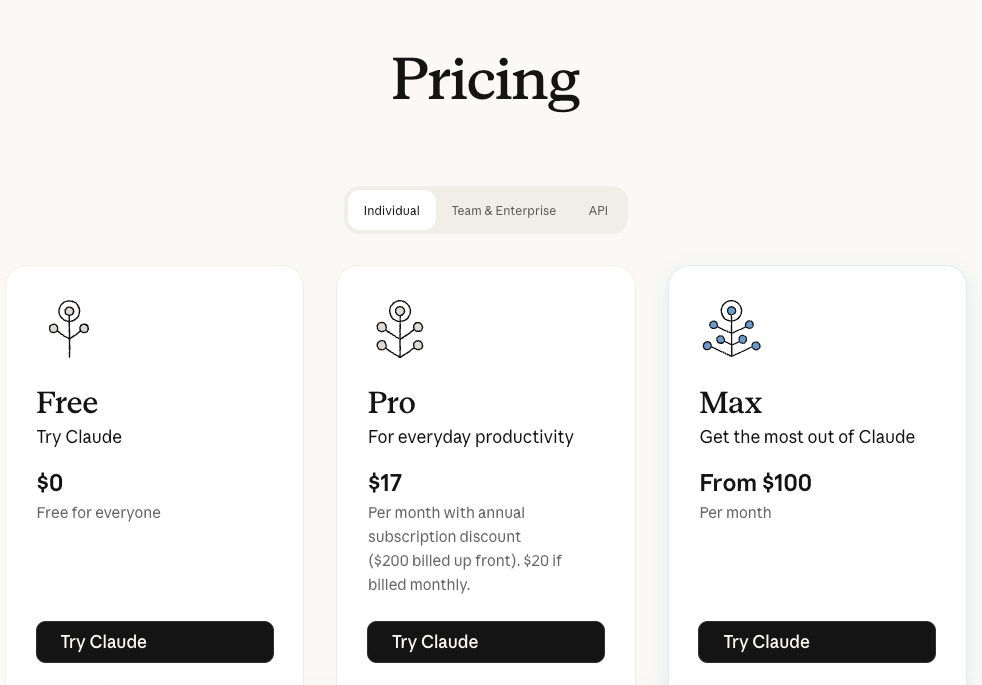
If you do a lot of research — reading dense documents, comparing options, synthesizing sources — you want something with a long context window. Models like Claude can now hold over 200K tokens in a single conversation (verified at claude.com/pricing as of May 2026), meaning you can drop in an entire contract, a research paper, and three client briefs and work across them without losing thread. A 2025 study on AI at work found performance gains of 10–25% in research and writing tasks — the biggest factor was how consistently people used the tool, not which tool they used.
If your work is client-facing — proposals, briefs, communications that need to match a tone — the key question is whether the tool can hold and apply your voice. Projects with persistent context do this better than fresh sessions every time.
If content creation is the core of your work — articles, scripts, reports, social copy — I'd argue an AI assistant saves more time at the editing and structuring stage than the drafting stage. The tendency is to use it to generate. The actual gain is in getting from messy draft to clean output faster.
If you're heavy on planning — quarterly reviews, project scoping, tracking decisions — the biggest win isn't generation, it's structured thinking. Asking an AI to play devil's advocate on a plan you've drafted, or to identify gaps in a project outline, changes the quality of what you ship. Zapier's 2026 breakdown of AI personal assistants puts it well: the tools that compound in value are the ones you use for judgment tasks, not just generation tasks.
What "Personal Use" Means for Solo Work
This is worth being precise about, because it changes what you need.
Personal use at work isn't about using AI at home. It's about using it as an individual — not through a company account, not with a shared workspace, not with IT managing your setup. You're picking the tool, paying for it (or using the free tier), and integrating it into your own workflow.
This matters because:
Context lives with you. You're not sharing prompts with a team. You need the tool to hold your specific context — your clients, your style, your recurring tasks — not just respond to generic requests.
You're not a developer. The useful question isn't what's possible through the API. It's what you can set up in a web interface or desktop app in under an hour.
The switching cost is yours. If you commit to a tool and it doesn't fit, you're the one rebuilding the context and the habits. That's why the 7-day trial plan at the end of this article matters.
App vs Extension vs Workspace
Three delivery shapes, different tradeoffs. Not better or worse — different contexts where each wins.
Best fit by task depth and context needs
A web app or desktop app (like Claude or ChatGPT) is where I'd start for most personal use. No browser dependency, works across tabs, and the experience is designed for multi-turn conversation rather than one-off lookups. If your work is document-heavy — writing, research, analysis — this is the right home base. The Claude desktop app is available on Mac and Windows as of 2026, and syncs with your web sessions.
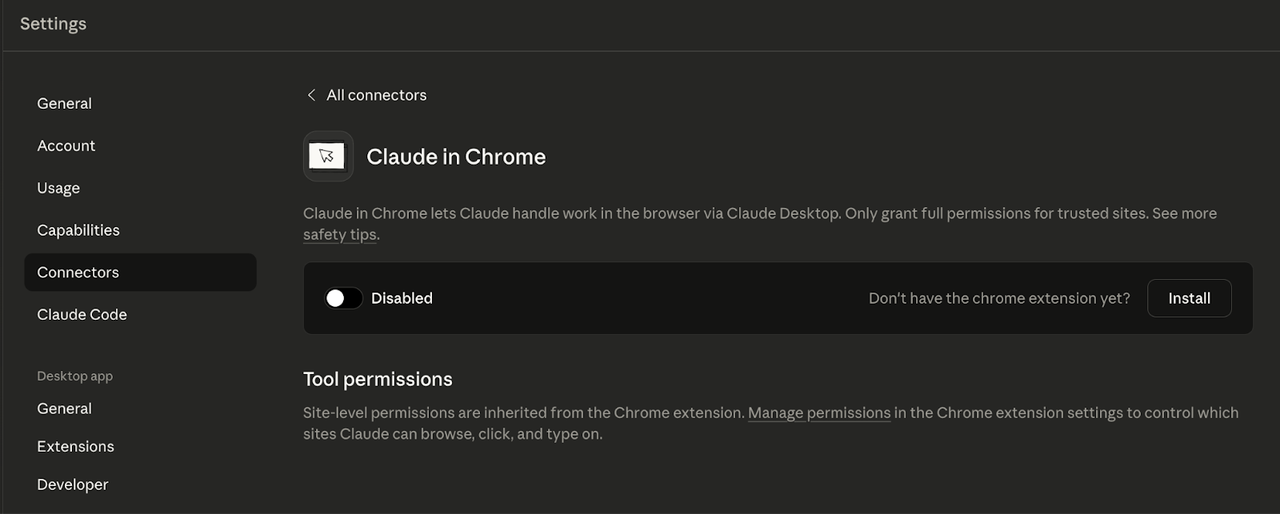
A browser extension is the right pick when your work lives inside web apps you're already logged into — your CRM, a project management tool, internal dashboards. The tradeoff is context scope: extensions typically see what's on the current page. They're excellent for narrower, session-based tasks, but they're not the place to hold a month of project history. Anthropic's Claude in Chrome guide covers setup and what's available on each plan tier — worth reading before connecting anything. Start with an allowlist and keep it short.
A desktop AI workspace is a category that's still maturing in 2026. The premise — AI that sits above your files, browser, and local apps and can coordinate across all of them — is right for solo operators with cross-app workflows. Think: read a PDF, pull something from a web page, draft in a doc, send via a connected service. If you're doing that kind of work regularly, this format has meaningful upside. The honest caveat: setup is heavier than an extension or web app, and the category is early enough that the tools vary significantly. Worth testing if the scenario fits, but not the starting point if you're new to this.
Privacy and File-Handling Checklist
Before you upload a document, paste a client email, or connect an account, run through this quickly.
On files:
Am I sharing anything covered by an NDA?
Does this file contain a client's personal data or financial information?
If this conversation were logged server-side, would that be a problem?
On accounts:
Does connecting this account give the AI write access, not just read?
Is this a shared account where my actions affect other people?
On memory:
Is Memory or Memories turned on by default? Do I want it on for this session?
If I'm using a new tool, have I checked what the free tier logs vs. what paid tiers restrict?
The nuances here vary by tool and subscription tier. For Claude specifically, Anthropic's usage policy documentation covers what's stored and under what conditions. For OpenAI, similar details live in their privacy settings under your account. Don't assume the default is the most private option — verify before you connect anything sensitive.
One thing I've found practically useful: for sessions involving client materials or anything under NDA, I create a separate project or start a fresh session with Memory off, work through it, then close it. The friction is low enough that it's become automatic.
A 7-Day Trial Plan Before Paying
I've run this approach with a few different tools. It works whether you're testing the free tier before upgrading or evaluating a new product entirely.
Days 1–2: Admin tasks only. Pick three things you did last week that felt like slog — an email you had to word carefully, a summary you had to write, a document you had to format. Redo them with the assistant. Time yourself. If it doesn't save meaningful time on at least two out of three, the tool isn't earning its place in your workflow yet.
Day 3: Research task. Find something you've been putting off because it required reading a lot of material — a policy, a competitor's documentation, a long report. Feed it to the assistant in one session. Ask it to pull the three most important points. Then ask a follow-up question. Notice whether the context holds.
Day 4: Writing or content task. Bring something you need to produce — a proposal, a section of a report, a piece of content. Start with a rough outline in your own words, then use the assistant to develop it. Don't let it draft from scratch; give it something to work with. Notice whether the output sounds like you, or like generic AI.
Day 5: Planning or thinking task. Bring a decision you're weighing. Ask the assistant to steelman the option you're leaning against. Ask it what you might be missing. This is the use case most people skip, and often the one that delivers the most asymmetric value.
Days 6–7: Honest evaluation. How many times did it actually save you meaningful time? Did you find yourself going back to it naturally, or did you have to remind yourself it existed? Did context hold across sessions, or did you have to re-explain things every time? These questions matter more than whether the outputs were impressive in isolation.
If you can't answer yes to at least two of those by day 7, the tool isn't the right fit for how you currently work — or you haven't found the right use cases yet.
FAQ
Can a personal AI assistant work across multiple devices?
Yes, for cloud-based tools. Claude, ChatGPT, and similar products sync your conversation history across web, desktop, and mobile apps when you're signed into the same account. The experience isn't always identical — the desktop app sometimes has features the mobile app doesn't — but your context travels with you. Browser extensions are the exception: they're tied to the specific browser installation on a specific machine.
Do I need to upload files for it to be useful?
No. Plenty of the value comes from working with text you paste directly — an email thread, a document excerpt, a set of meeting notes. File upload is most useful when the source is long (a PDF you don't want to manually copy) or when you're doing repeated analysis on the same document. For most day-to-day use, paste works fine.
Can I use one without connecting email or calendar?
Absolutely. Most AI assistants work as standalone tools with no integrations at all — you bring the context manually. Connecting email and calendar unlocks autonomous features (drafting replies, scheduling summaries), but you get real value without those connections. I'd actually suggest starting without integrations for the first two weeks. It forces you to be intentional about what you hand to the assistant, which builds better habits than just giving it access to everything.
What should I test during a free trial?
Test the things you'll actually use daily, not the impressive demos. The demos are designed to look good. Your daily workflow is the real filter. Specifically: test whether context holds across a multi-turn conversation, whether the output quality is consistent (not just occasionally good), and whether you'd actually remember to open it when you need it. A tool you forget to use isn't saving you time, no matter how capable it is.
Previous Posts:
If your AI assistant still feels like “a smarter search engine,” this is the workflow shift that usually changes everything: Why AI forgets between sessions — and why context matters more than model quality
Most solo operators don’t actually need more AI tools — they need fewer places where context gets scattered: Why your workflow feels fragmented: workspace agents for solo operators
Testing AI assistants? The real productivity gain usually comes from workflow fit, not from switching to the newest model every month: Meta Muse Spark vs GPT-5.4 for one-person companies
If you’re deciding between a chat assistant and a workspace-style AI setup, this breakdown explains where each actually helps: Workspace agents vs chat assistants
A practical guide to building an AI workflow that actually survives past the “trial week” stage for solo founders: AI workflow for solo founders
Get automation tips for your workflow
Weekly insights for non-technical professionals. No spam ever.