
AI Agent Use Cases That Actually Work: Real-World Examples
AI agent use cases with real context: what the work actually looks like, what it produces, and where the approach still breaks down.
How are you? I'm Nova. I've been spending a lot of time lately digging into AI agent use cases — partly for work, partly because I'm just genuinely curious. And one thing I keep running into? Most case studies out there aren't that helpful.
Not because the results are fake. But because they skip the messy middle.
Why Most AI Agent Case Studies Aren't That Useful
Here's what I usually see: a before/after snapshot, some impressive percentages, and a vague mention of "AI automation." What's missing is the setup, the failure modes, and the honest answer to "would this actually work for someone like me?" Most case studies skip the messy middle. IBM's research on IBM AI agents: expectations vs. reality in 2025 points out exactly this tension — the hype outpaces the actual deployment patterns.
So I decided to write the version I wished existed — grounded in realistic work patterns, with the limitations included.
These aren't fabricated company stories. They're scenarios built from patterns I've observed across solo founders, small content teams, and independent consultants who are genuinely using AI agents in their day-to-day work.
Use Case 1 — Research to Client Deliverable
Setup
A freelance strategist regularly needs to turn a client brief into a structured research summary — pulling from multiple sources, synthesizing key themes, and formatting it for a presentation.
Previously: open tabs, manual notes, a lot of copying and pasting. Easily 3–4 hours per deliverable.
Workflow
They set up an AI agent workflow using a tool like Floatboat AI that could: read uploaded briefs, search and summarize web content, and output a structured draft. The agent doesn't replace the thinking — it handles the busywork.
Output
A rough synthesis document, organized by theme, ready for human editing. According to the person running it, time dropped to roughly 1–1.5 hours — but that estimate assumes the brief is clear and the sources are findable. When either is messy, the time savings shrink.
Known Limitations
The agent surfaces information, but it can't judge relevance the way a specialist can. You still need a human pass to catch misattributions or shallow analysis. Also: if your sources are paywalled or require login, the workflow breaks.
Use Case 2 — Long-Form Content Repurposing
Setup
A content creator publishes one long article per week and wants to repurpose it into LinkedIn posts, a short email, and a few tweet-style takes — without spending another two hours rewriting.
Workflow
They feed the original article into an agent workflow that's been prompted with their tone and format preferences. The agent generates draft versions of each format. According to research on content repurposing workflows, repurposing is one of the highest-ROI activities for content teams — but most people do it manually.
Output
Four to five draft pieces, usually needing 20–30 minutes of editing total. The key is that the agent learned their voice over time — early outputs required more editing. After a few weeks of feedback, less so.
Known Limitations
The agent doesn't know what context to cut for a different audience. A LinkedIn post needs different framing than a tweet — and getting that nuance right still takes a human eye. Also, if the original article is weak, the repurposed content will be too.
Use Case 3 — Weekly Competitive Monitoring
Setup
An indie product builder wants to track what competitors are doing — new features, pricing changes, positioning shifts — without manually checking five websites every Monday morning.
Workflow
An agent workflow is set up to pull updates from specific URLs, look for changes, and generate a brief summary. Tools like this connect to browser data or Google Alerts-style inputs. For context on how competitive intelligence has evolved with AI, MIT Technology Review has covered the shift well.
Output
A weekly digest — bullet points of changes detected, flagged by category (pricing, feature, messaging). Takes maybe five minutes to review instead of 45.
Known Limitations
Agents can detect surface-level changes but miss strategic signals. A wording tweak on a pricing page might mean nothing — or might mean a repositioning is underway. That interpretation is still a human job. Also, some competitors actively obscure changes, which no agent can work around.
Use Case 4 — Proposal Drafts from a Brief
Setup
A consultant regularly writes project proposals. The structure is similar each time — problem statement, proposed approach, timeline, pricing — but each client needs different framing.
Workflow
They built a workflow that takes a client brief (even a rough one) and generates a first-draft proposal using their standard structure. The agent pulls from a library of past proposals to match tone and depth. Harvard Business Review has written about how knowledge workers increasingly use AI as a "first drafter" rather than a replacement — and this pattern fits that exactly.
Output
A usable first draft in about 15 minutes. Still needs significant editing for the specific client relationship and pricing. But the blank page problem is gone, which is often the hardest part.
Known Limitations
The agent doesn't know the unspoken context — the client's internal politics, budget anxiety, or past history with the consultant. Those details have to be added manually. Skipping this step is how proposals feel generic even when they're technically accurate.
What These Cases Have in Common
Patterns That Make Agent Use Actually Work
Looking across these four use cases, a few things stand out:
Structured inputs produce better outputs. The cleaner the brief or prompt, the more useful the agent's work. Garbage in, garbage out — still applies.
Repetitive, pattern-based tasks are the sweet spot. Research synthesis, repurposing, monitoring, drafting — all of these follow a structure. Agents thrive when there's a repeatable shape to the workwhich is exactly why some solo operators are starting to turn these workflows into services
The best setups include a feedback loop. Tools that learn your preferences over time (like Floatboat's Tacit Engine concept) produce noticeably better results after a few weeks than they do on day one.
Human judgment still gates quality. In every case above, the agent handles volume; the human handles judgment.
Where Human Judgment Is Still Required
Interpreting ambiguous signals (competitive monitoring)
Editing for relationship context (proposals)
Catching factual or relevance errors (research)
Deciding what not to include (repurposing)
This is worth naming clearly: AI agents are not decision-makers. They're fast, capable assistants that remove friction from the mechanical parts of knowledge work. Thinking still belongs to you. For a grounded overview of where AI agents actually stand today, Stanford's Human-Centered AI group publishes useful, non-hype takes.
What to Realistically Expect When You Start
Okay, so you want to try this. Here's what I'd actually tell a friend:
Week one will be slower, not faster. Setting up a workflow, testing prompts, and understanding where the agent breaks — that takes time. Don't expect immediate ROI.
The learning curve is real, but not steep. Most people find a rhythm within two to three weeks. The investment is front-loaded.
Not every task is worth automating. Before building a workflow, ask: do I do this exact thing more than once a week? If not, the setup cost probably isn't worth it.
Start small. Pick one repeatable task. Get it working well. Then add another. The people who try to automate everything at once usually end up with a mess of half-working workflows.
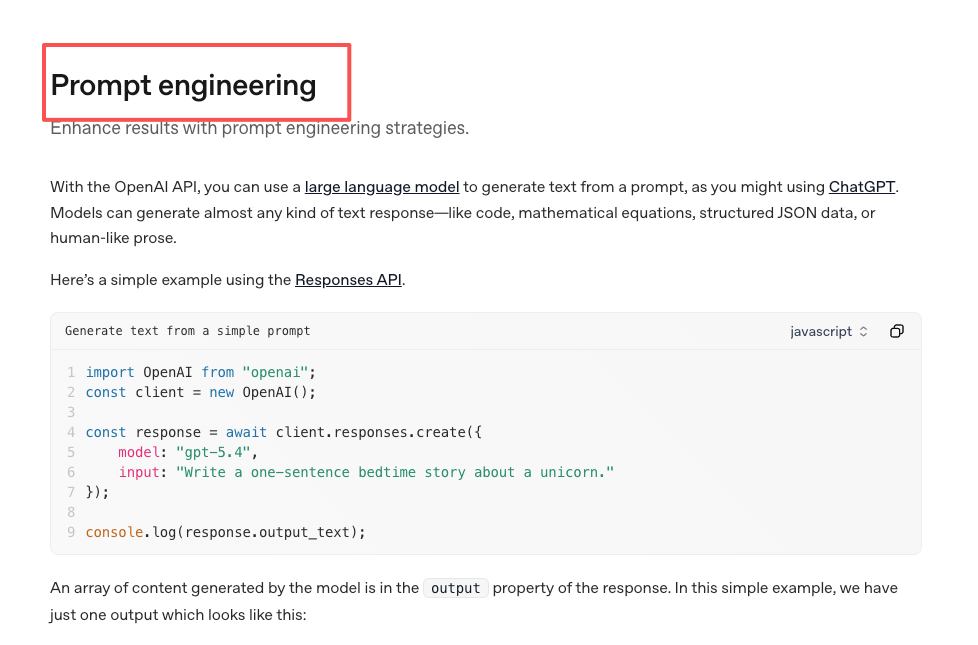
Wait… ! And one more thing I keep noticing: the people getting the most out of AI agents aren't necessarily the most technical. They're the ones who are clearest about what they want. Good prompting is just clear thinking, written down. OpenAI's prompt engineering guide is actually a surprisingly useful read for non-developers — most of the advice is just about being precise.
FAQ
What's an AI agent, exactly? An AI agent is a system that can take a goal, break it into steps, use tools (search, files, apps), and work toward a result — rather than just answering a single question. Think less 'chatbot' and more 'assistant with a to-do list.' If you want a more technical breakdown, this introduction to AI agents from DAIR.AI covers the fundamentals well.
Do I need to know how to code to use AI agents?
For most tools aimed at solo founders and creators, no. Tools like Floatboat, Zapier AI, or similar platforms are built for non-technical users. That said, the more specific your workflow, the more configuration it takes.
How is this different from just using ChatGPT?
ChatGPT (or any single-prompt AI) responds to one input at a time. Agents can chain actions — search, then summarize, then format, then output — without you having to manually pass outputs between steps.
What happens when the agent makes a mistake?
It will. The question is whether your workflow has a human review step before anything goes out. For internal drafts, mistakes are low-stakes. For client-facing work, always review.
Is my data safe when using these tools?
Check each tool's privacy policy carefully. For sensitive client work, look for tools that offer local processing or clear data handling policies. It's worth reading before you start.
If you're also experimenting with AI workflows, I'd be curious about what's actually working for you. Still figuring a lot of this out myself — but that's kind of the fun part.
Previous Posts:
Get automation tips for your workflow
Weekly insights for non-technical professionals. No spam ever.